26% of users save at least one full day on each ad project when they switch to data-driven research. The fastest path is a keyword-and-domain ad lookup that shows what works, where, and for whom.
In 2026, small teams don’t have room for guesswork. You need proven creative, clear targeting cues, and a way to check real engagement before you spend a dollar. PowerAdSpy gives you those answers without bloat or a steep price tag. It lets you search ads by niche keyword, advertiser, and domain across the channels you actually use, then sort by likes, comments, shares, and impressions so you can model what’s working.
Moreover, you can see live posts to spot tone, offer, and social proof in context. As a result, you avoid trial-and-error and ship stronger ads faster. You’ll see how below, plus concrete buying criteria, platform comparisons, and a five-minute setup you can run today.
Why Small Businesses Struggle to Track Competitor Ads
Cash burn from guesswork adds up fast. A solo owner or a two-person team can’t afford weeks of testing copy and creatives that your rivals already tried and dropped. Without visibility into competitors’ ads, you end up paying to learn the same hard lessons they did last month.
In practice, you face three blockers. First, you can’t scan ads by keyword and domain across all your key channels in one place. Second, you lack engagement context, so every headline and thumbnail looks “fine,” even if the audience ignored it. Third, geo and device splits stay fuzzy, which leads to broad targeting, thin click-through, and churned budget.
However, this isn’t just theory. Users who switch to real ad research report a 15% reduction in A/B testing volume under two months. That means fewer variants to write, design, approve, and fund.
In addition, 26% of users save at least one day preparing for each advertising project because the research phase moves from fishing to filtering. Less thrash. More action.
Single-Platform Limits
Furthermore, ad libraries from single platforms show only a slice of truth and lack sorting by likes or shares. You see what’s “on,” not what’s resonating. With no way to rank by popularity or impressions, you’re forced to test blind. That’s a tax on your time and cash.
- Lost hours: Writing variants that a quick search would have ruled out
- Hidden duds: Creatives that look slick but draw weak engagement
- Geo waste: Broad targeting that misses local demand or costs more per click
For quick context on controlled testing (and why cutting variants matters), see A/B testing. The fewer weak ideas you ship, the less budget you burn and the faster you scale the winners. A tool that runs keyword-and-domain searches on competitor ads makes this shift possible for small teams.
What to Look for in a Competitor Ad Search Tool
If you’re paying for software in 2026, it must earn back time and budget in days, not months. Start with the core: keyword-and-domain search on competitors’ ads. Why? Because your research flow begins with “show me ads on my product terms” and “show me what [rival.com] runs.” Anything less slows you down.
Keyword + Domain Search
You need both. Keyword search maps the language buyers use, surfaces hooks, and shows common offers (“free shipping,” “bundle and save,” “book a demo”). Domain search reveals how direct rivals shape creatives across channels. Together, they show what to model and what to skip.
Multi-Platform Coverage
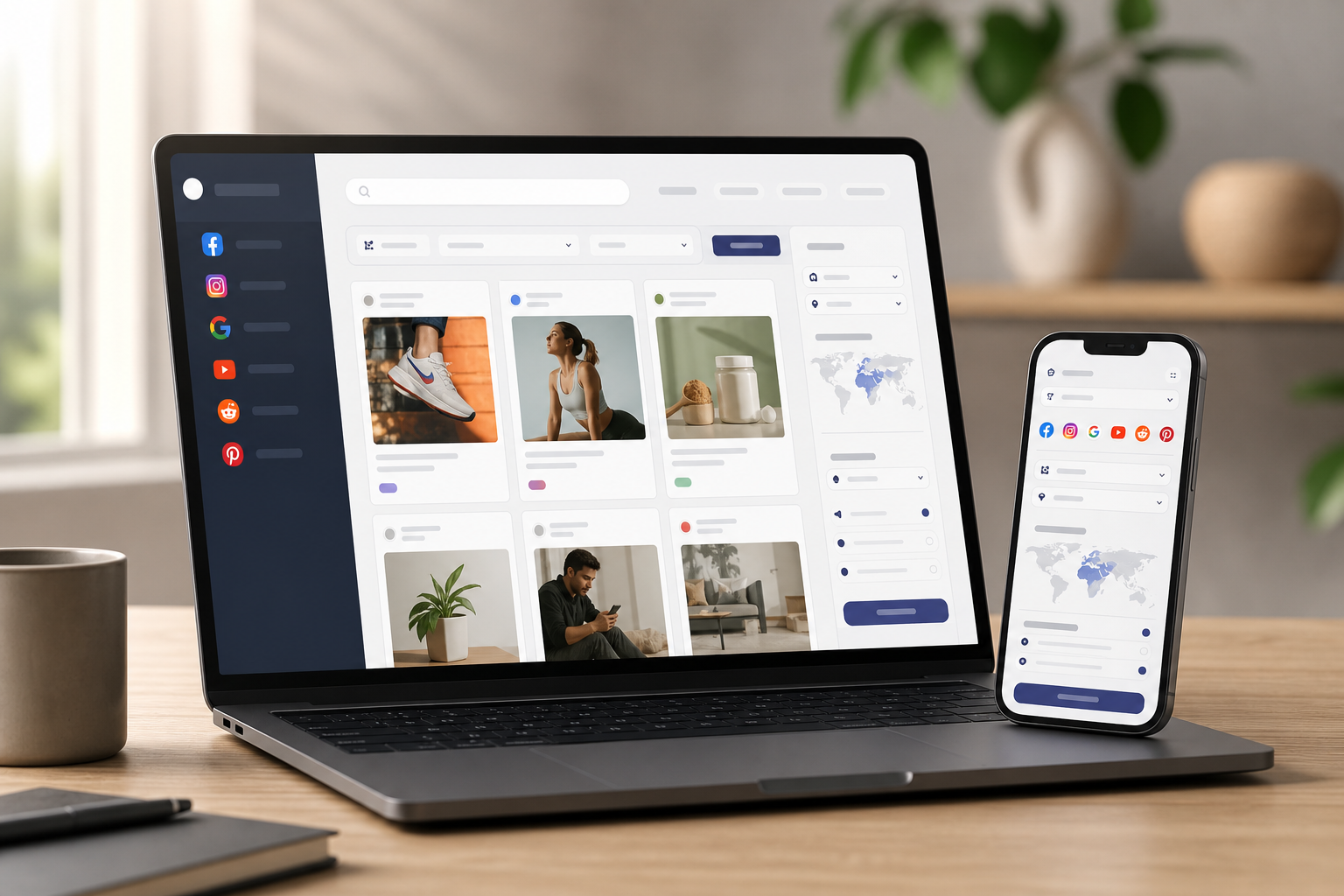
Your audience isn’t only on one channel. Look for coverage across Facebook, Instagram, Google, YouTube, Reddit, Pinterest, Native, Display, and Quora. Breadth matters because you’ll spot creative that travels well, not just platform quirks. It also reduces subscription sprawl.
GEO-Targeting and Device Filters
Local buyers click for different reasons than national shoppers. Country, region, and device filters (iOS, Android, desktop, mobile) show which angles win where. As a result, you can match targeting and creative to the market that pays you back.
Engagement and Popularity Metrics
Sorting by likes, comments, shares, popularity, and impressions turns a feed of ads into a ranked short list. You don’t need vague “quality” scores. You need real signals that flag ads worth modeling, especially if you only have a day to plan.
Affordability for Small Teams
Costs stack: design, media, tools. A tool that starts at $29/month billed annually keeps your tech spend sane. That’s a fraction of enterprise tools that stretch to $200+/month. Save here and you can add budget to the ad set that’s ready to scale.
Ease of Use for Non-Technical Users
You should be able to type a keyword, apply a country, pick a platform, and sort by popularity in under a minute. Clean filters, clear labels, and export options beat “power features” buried three clicks deep.
- Want a deeper walkthrough? Check this 2026 guide to smarter research for practical examples and checklists you can copy into your workflow.
When a tool checks these boxes, your research loop is fast and repeatable. That’s why small teams stick with solutions that center on keyword + domain lookup for competitors’ ads instead of one-off scrapers or single-platform libraries.
Also Read!
Ad Agency Guide to Choosing a Multi-Platform Ad Spy Tool
PowerAdSpy vs AdSpy for Ad Agencies: Which Is the Better Facebook Ad Spy Tool?
How PowerAdSpy Helps Small Businesses Search Competitor Ads
PowerAdSpy was built for fast research, not dashboards for the sake of dashboards. It lets you search ads by niche keywords, advertisers, and competitor domains, then refine with GEO filters, CTA filters, and device splits. You get data on millions of ads from over 100 countries, with thousands of new ads added daily. That scale matters when you need proof, not hunches.
Keyword, Domain, and Advertiser Search
Start with your niche keyword. Then layer in an advertiser or a rival’s domain to zoom on their current (and long-running) themes. You can also break down ad components to find creatives that feature a brand, object, or celebrity. Therefore, you get a tight list of proven angles within minutes.
“We used to struggle with Facebook ads for lead generation. It felt like we were throwing darts in the dark. PowerAdSpy helped us see what our competitors were doing right, and suddenly, things clicked. The clarity of the tool makes ad decision-making much easier.” — Steve Decker, SaaS Marketing Manager
CTA Filters and Live Post Checks
Calls-to-action matter. With CTA sorting, you can see which prompts (“Shop Now,” “Sign Up,” “Book Now”) dominate in your space. In addition, you can click through to visit live ad posts and check real-time engagement and audience opinion. That saves you from copying ads that look fine in a thumbnail but flop in the comments.
GEO Filters, Audience, and Device
PowerAdSpy provides GEO-targeted information about competitor ads. Filter by country, audience age range, gender, and device (iOS, Android, desktop, mobile). As a result, you’ll match creative to who’s actually clicking in your market. Then, track ad impressions and placements (feed, side column, marketplace, video feed) to refine even further.
Sort by Real Engagement
You can sort by likes, comments, shares, newest, running longest, popularity, and impressions. Moreover, popularity and impressions indexes help you separate fleeting hype from ads with staying power. That’s how users see a 19% improvement in revenue with decreased workforce, you scale what’s proven instead of writing ten more variants.
“Running ads for multiple clients can be stressful, especially when results are slow. This Facebook ad spy tool made life so much easier. We’ve cut back on testing time and launched campaigns that get results. This tool is now our agency’s secret weapon!” — Charlotte Neilson, Digital Marketing Strategist
Save, Export, and Act
Bookmark your preferred ad concepts to build a swipe file you can trust. Furthermore, export detailed ad performance reports for review or client sign-off. With dashboard customization and an ad tracker, you can keep a pulse on changes without babysitting tabs.
PowerAdSpy centers your flow on keyword-and-domain research into competitor ads, then adds the filters and context that cut variants and wasted spend. If you run paid social, search, or video, that one-two punch is what keeps your ROAS on track.
PowerAdSpy vs. SpyFu vs. Anstrex: Which Fits Small Budgets?
You have three common paths in 2026. First, PowerAdSpy for multi-platform creative research. Second, SpyFu for PPC keyword and SEO competitor data. Third, Anstrex for deep native ad research. All three can help, but they serve different jobs.
PowerAdSpy covers Facebook, Instagram, Google, YouTube, Reddit, Pinterest, Native, Display, and Quora in one place. That breadth matters if you run cross-channel campaigns and want a single research habit. Its Basic plan is $29/month billed annually, which fits most small budgets. You still get the essentials: keyword and domain search, GEO filters, CTA sorting, live post checks, bookmarks, and exports.
SpyFu shines in search marketing. If you need PPC keyword history, ad copies in SERPs, and SEO competitor tracking, it’s strong. However, it doesn’t aim to be your cross-network creative library with engagement sorting by likes and shares. Compared to alternatives that focus on one or two channels, PowerAdSpy’s engagement-driven browse and sort flow is built for creative planning, not just keyword lists.
Anstrex is known for native ad depth. If native is your main channel, you’ll like its focus. On the other hand, if your spend spans social and display with some native on the side, PowerAdSpy’s multi-platform scope plus social metrics make creative decisions faster. Users report a 15% reduction in A/B testing volume under two months with this approach because you start with ads that audiences already engaged with.
“We have reduced A/B testing costs and also have improved revenue!” — Archie Gilbert, Co-Founder
Moreover, database size and country reach matter. PowerAdSpy indexes millions of ads from over 100 countries with thousands of new ads added daily. That scale means better odds you’ll find a close match to your niche, even in smaller markets. If you’re a dropshipper or DTC founder comparing more tools, see this balanced dropshipper comparison that breaks down workflows and research speed.
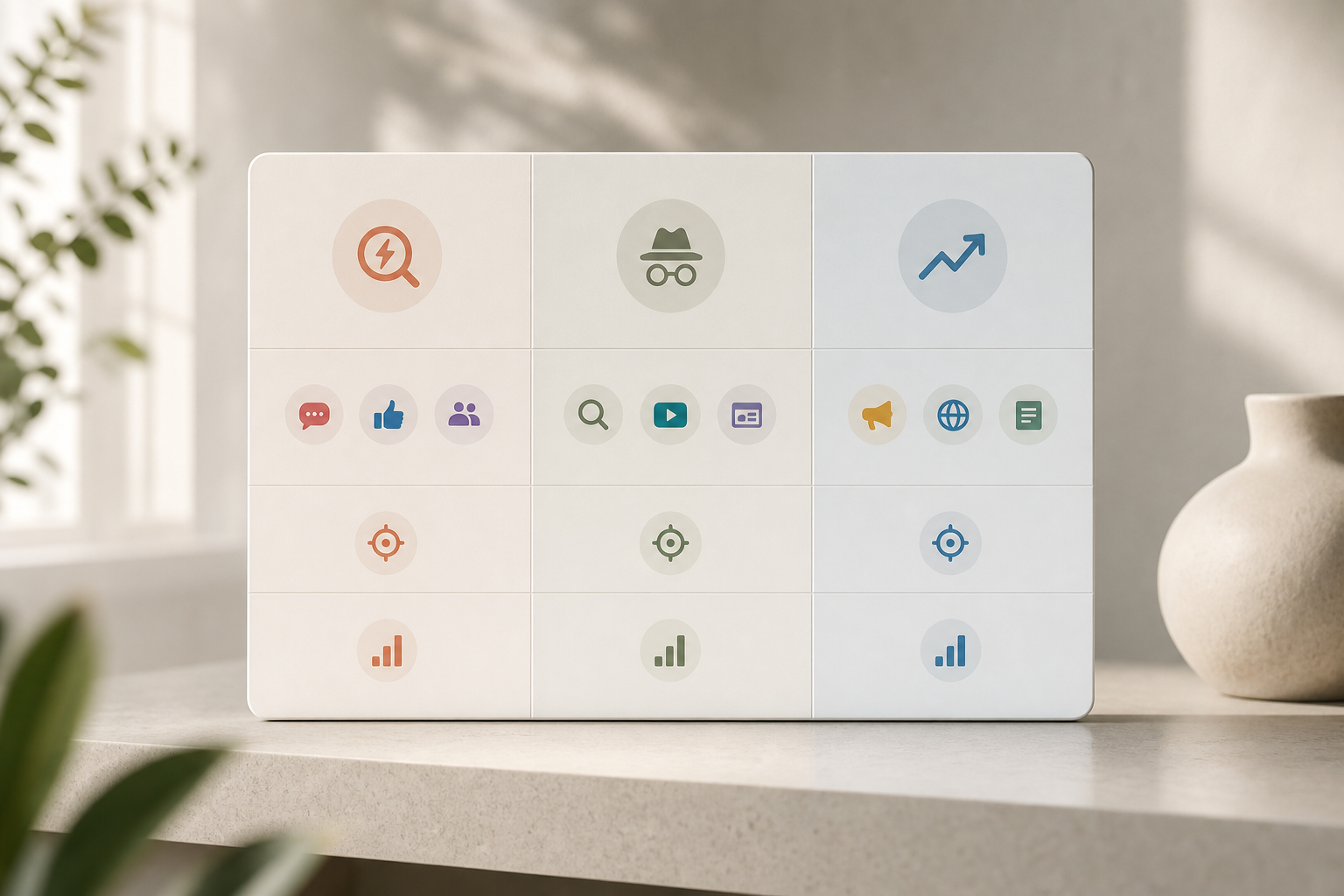
If you need creative intelligence across social and display with domain + keyword lookup, PowerAdSpy is the most budget-friendly blend. If you only need PPC/SEO data, SpyFu is strong. If native is your core, Anstrex is focused. Choose the fit, not the hype.
Also Read!
Small Business Owner’s Guide to Using a Shopify Ad Spy Tool
PowerAdSpy vs Adplexity for Ad Agencies: Which Is Better for Multi-Platform Ad Spying?
Trust Signals: Why Small Businesses Rely on PowerAdSpy
Trust comes from results and reach. PowerAdSpy’s database holds millions of ads from over 100 countries, and thousands of new ads are added daily. That scale gives you a clear view of what buyers respond to right now, not trends that aged out two quarters ago.
In addition, the tool is AI-powered, which helps break down ad components and speed up filtering. You can search by text in creatives, spot brands or objects in images, and match patterns faster than manual scanning. As a result, busy owners spend less time hunting and more time shipping ads that match what the market already likes.
Social proof matters too. 23% of users find PowerAdSpy affordable, easy, and complete for their needs. Users also report a 19% improvement in revenue with decreased workforce and increased work efficiency. Those aren’t vanity claims; they reflect faster planning and fewer dead-end tests.
Moreover, direct links to live ad posts keep the data grounded in public proof. You can verify engagement, read comments, and gauge sentiment before you copy a hook or headline. That’s a guardrail that saves budget in 2026 when every test should point to a winner, not a guess.
Getting Started: Your First Competitor Ad Search in 5 Minutes
You don’t need a long setup. You can run your first pass in the time it takes to make coffee. Here’s a quick workflow anchored on keyword-and-domain lookup for competitors’ ads that any small team can use.
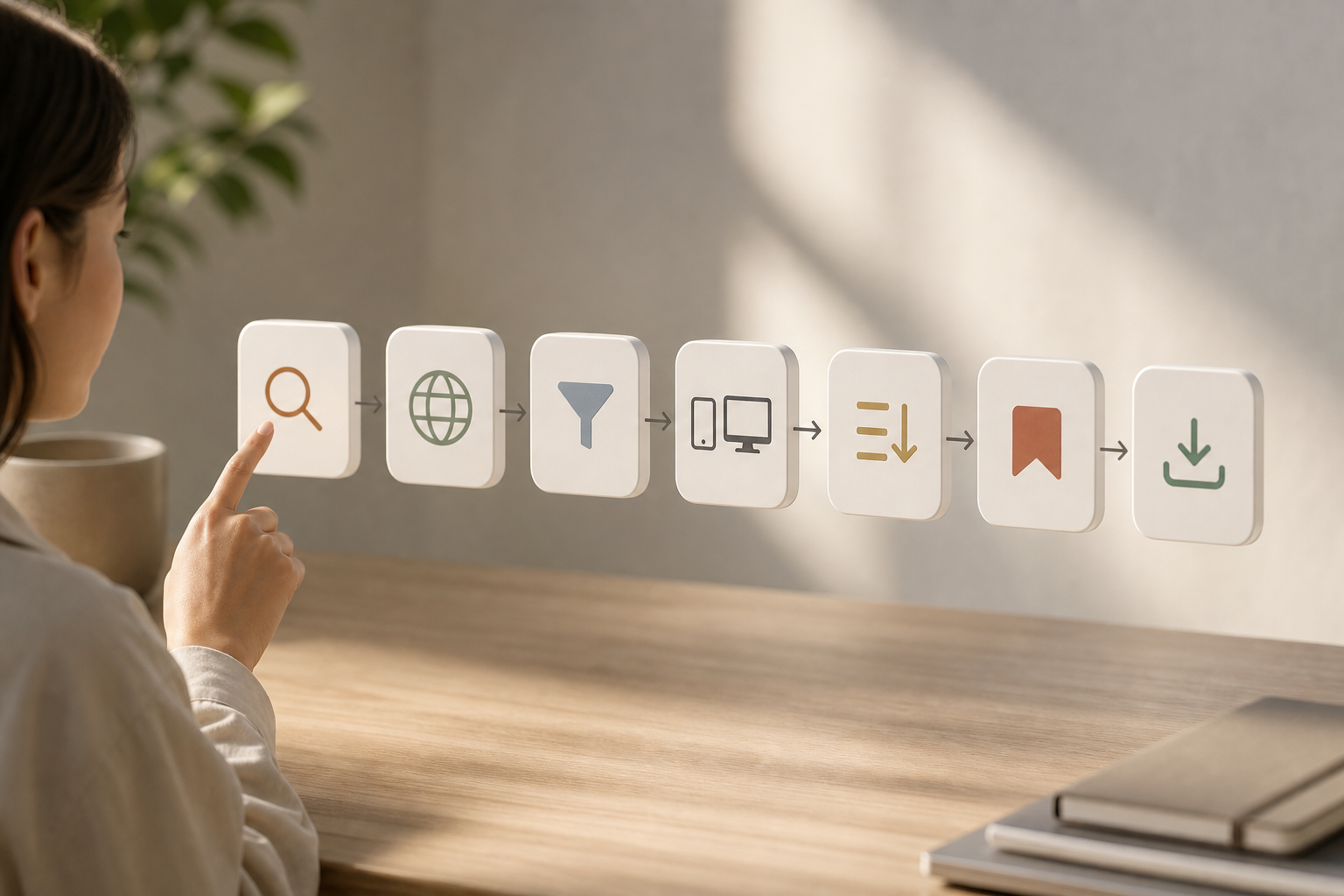
- Sign up or log in. Then open the search dashboard.
- Enter a niche keyword buyers use for your product. Next, add a competitor’s domain or pick an advertiser to tighten the results.
- Apply filters. Choose country, platform (Facebook, Instagram, Google, YouTube, Reddit, Pinterest, Native, Display, or Quora), device, and audience age. Then sort by likes, comments, shares, popularity, or impressions.
- Scan the top 10-20 ads. Click through to live posts to confirm tone and feedback. Bookmark the best creatives so they’re handy.
- Export a short report. Share the file for sign-off or keep it as your test roadmap for the week.
Moreover, the Bookmark feature helps you save preferred ad concepts into folders, and you can export detailed ad performance reports for clients or internal reviews. If you sell DTC or dropship and want a channel-specific walkthrough, this short how-to for dropshippers shows filters that work well for product launch weeks.
**See small-team pricing today →
Frequently Asked Questions
How much does a competitor ad search tool cost for small businesses?
PowerAdSpy starts at $29/month when billed annually. Enterprise tools can run $200+/month, which is tough for small teams to justify. The Basic plan covers essential keyword and domain search features, GEO filters, engagement sorting, bookmarks, and exports. Therefore, you get the essentials for research without bloating your stack.
Can I search competitor ads by their website domain?
Yes. PowerAdSpy supports domain search alongside keyword and advertiser search. Enter any competitor’s domain and you’ll see their ads across Facebook, Google, Instagram, and 7+ other platforms. In addition, you can sort by popularity and impressions to find the creatives worth modeling.
How accurate is the competitor ad data?
PowerAdSpy indexes millions of ads from 100+ countries, with thousands of new ads added daily. You can visit live ad posts directly to verify real-time engagement and comments. Moreover, sorting by likes, shares, and impressions helps you focus on ads with public proof, not guesswork.
What platforms does PowerAdSpy cover for ad spying?
Coverage includes Facebook, Instagram, Google, YouTube, Reddit, Pinterest, Quora, Native, and Display ads. This multi-platform view beats tools that show only 2–3 channels. As a result, your research stays consistent even as you test new networks.
Is PowerAdSpy better than free tools like Facebook Ad Library?
Facebook Ad Library shows active ads only and lacks engagement sorting and keyword search. PowerAdSpy adds sorting by likes and shares, GEO filters, CTA analysis, and cross-platform coverage. If you need to plan across channels with clear proof, the added context is key for your strategy.
How does competitor ad search help reduce my ad spend?
Users report 15% less A/B testing and a 19% revenue improvement by modeling proven competitor creatives instead of testing blindly. You skip failed concepts and launch with validated approaches. Therefore, you write fewer variants, spend less on dead ends, and scale winners faster.
Do I need technical skills to use an ad spy tool?
No. PowerAdSpy uses a simple search interface, enter a keyword or domain, apply filters, and browse. The bookmark and export features make it easy for solo marketers to organize findings. In addition, live post links help you sanity-check ideas before launch.
How does PowerAdSpy compare to SpyFu for small businesses?
SpyFu excels at PPC keyword research and SEO competitor data. PowerAdSpy focuses on visual ad creative research across social and display platforms with engagement metrics. Choose based on your job: keywords and SERPs, or multi-platform creative insights with domain + keyword lookup.
Wrap-Up: Make Every Test Count in 2026
Small teams win by skipping guesswork. With keyword-and-domain research on competitor ads, you start from proven hooks, offers, and formats. You’ll save planning time, cut low-yield tests, and move budget to ads with real traction.
If your week is packed, run the five-minute workflow above. Then ship one strong ad set backed by live engagement, not hunches.