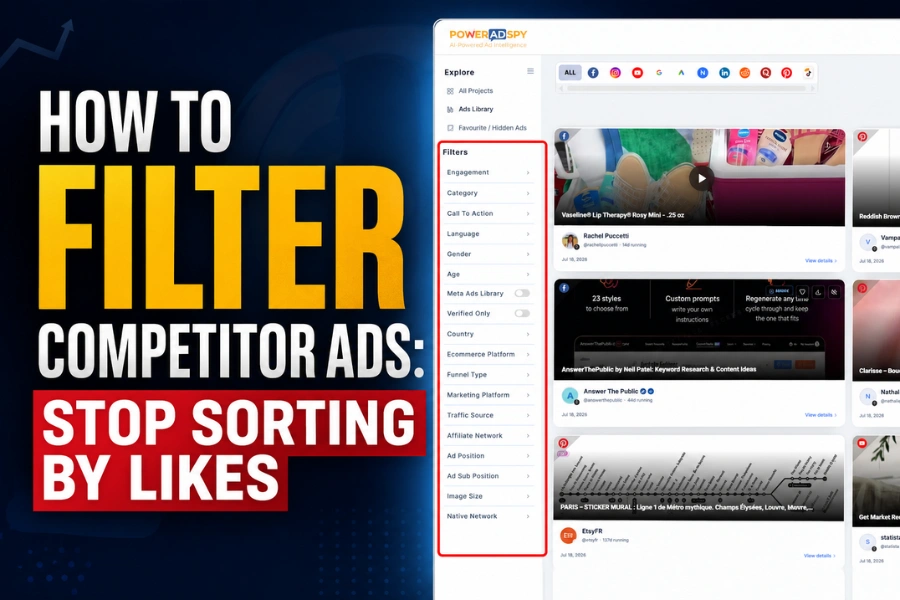
The most-liked competitor ad in your research session is probably their least-profitable one. Most media buyers I talk to open an ad spy tool and immediately sort by highest likes. I did it too, for longer than I should admit. It feels logical — more engagement equals better ad, right? It doesn’t. Engagement and commercial performance are not the same variable, and treating them as interchangeable is quietly draining budgets across the industry.
What follows is a filtering sequence that inverts the default workflow. Run it once and the difference in signal quality will be obvious.
Why Engagement Lies to You
Think about what actually drives likes and shares on paid social. Humor. Nostalgia. Controversy. A well-timed meme. Humor-driven ads routinely produce engagement numbers that look like category winners in any spy tool’s default sort. As our own ad filtering guide puts it bluntly: sorting by likes alone surfaces viral outliers that “rarely travel across geos or platforms without proof” and misrepresents stable spenders.
Instagram makes this worse. A humor-driven video can accumulate massive like counts in days purely from entertainment value, with near-zero “Shop Now” clicks surviving attribution. The format rewards emotional resonance. Buyers reward purchase intent. Those two things rarely overlap in the same ad.
The cost of getting this wrong compounds fast. Three weeks iterating on creative direction lifted from a viral-but-uncommercial ad is an expensive detour in any category. And when both A and B variants in an A/B test are built on unvalidated guesses, test costs compound CAC and drag ROAS down — the failure mode starts at the research stage, not the launch stage.
Hit ‘Play’ Button & Tune Into The Blog!
The Four-Step Filter Sequence
Step 1: Call to Action First, Likes Last
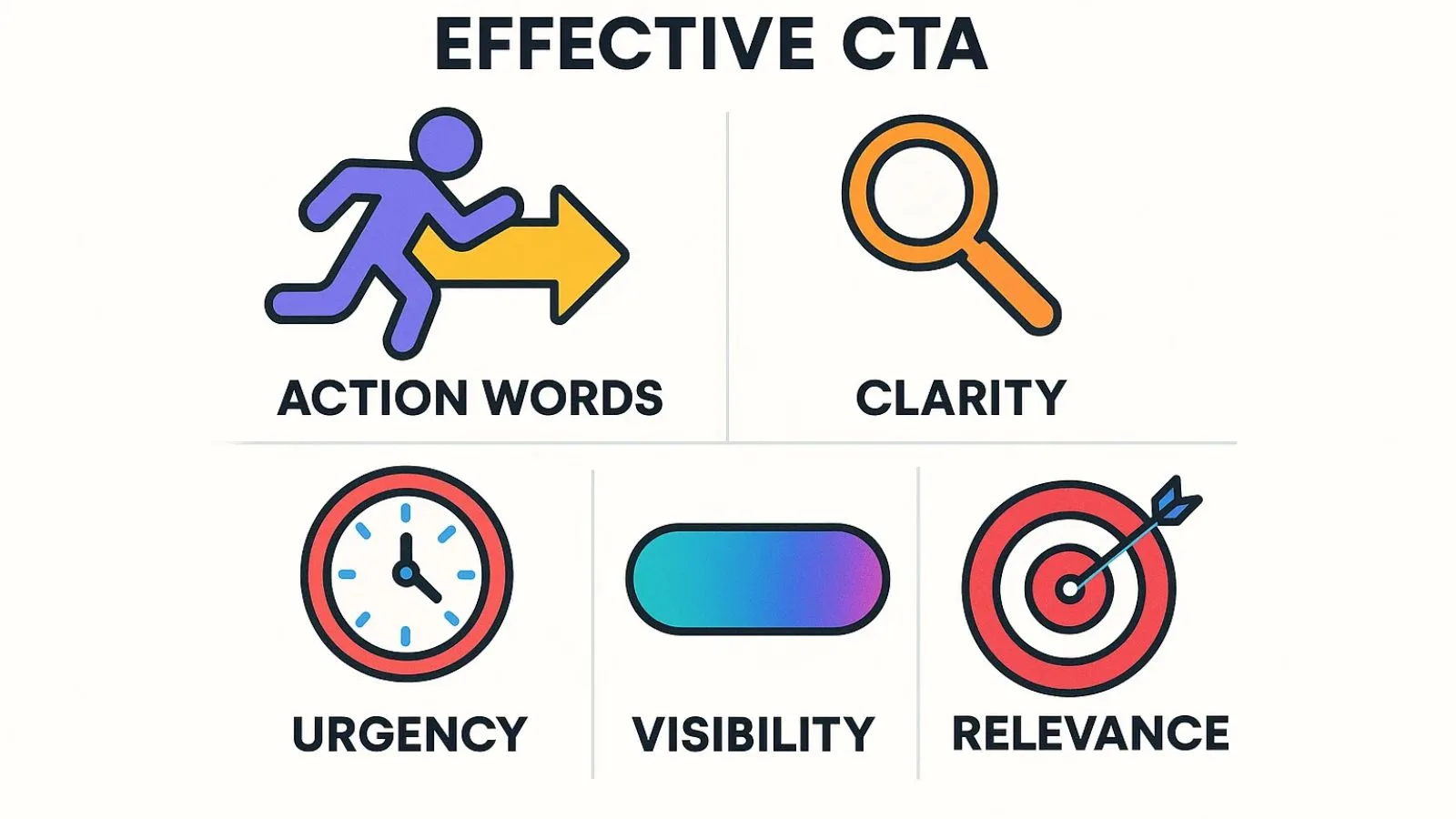
PowerAdSpy‘s Call to Action Based Sorting is the most underused filter on the platform. Most users walk right past it. Here’s the thing: the CTA a competitor chose is a direct signal of their funnel intent. “Shop Now” is direct-response. “Learn More” is usually a warm-up creative feeding a retargeting sequence. “Sign Up” is lead gen. “Get Quote” almost always indicates a high-ticket sale with a longer consideration cycle.
Start here. Before you look at a single creative, filter for the CTA type that matches what you’re actually trying to achieve. If you’re running a direct-response campaign, filter for “Shop Now” and immediately eliminate every awareness-stage ad that would rank first on engagement but fail your funnel. You’re not researching how your competitor entertains people. You’re researching how they sell.
Step 2: GEO-Target Before You Go Broad
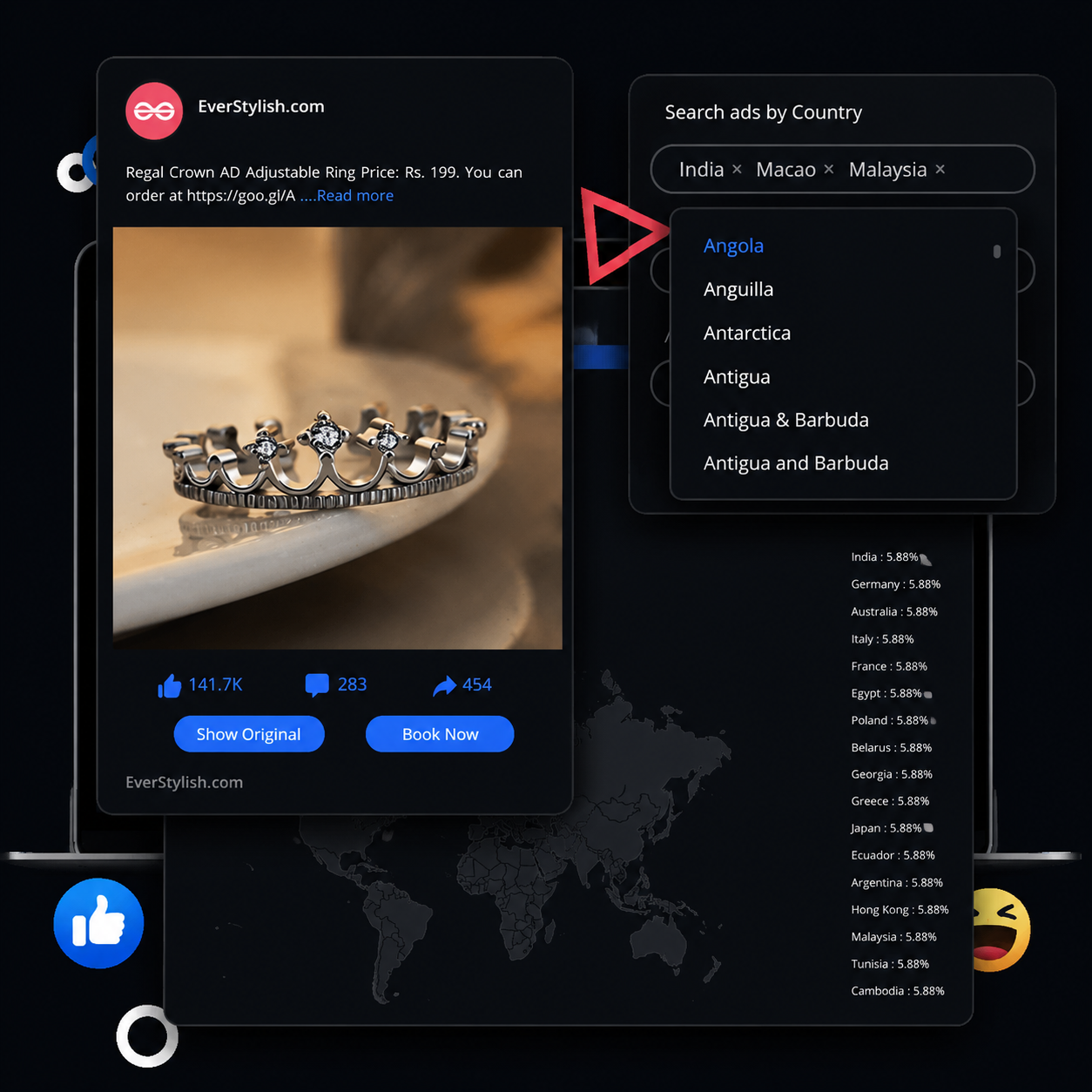
A competitor ad dominating in the US may be completely untested in Germany, Brazil, or Southeast Asia — or it may be running there and flopping. PowerAdSpy’s GEO-targeted competitor data spans coverage across 100+ countries, giving you visibility into where a specific ad is actually being deployed.
This matters for two reasons. First, geographic breadth signals budget commitment. Advertisers scale to new markets when something is working, not as a speculative test. An ad that’s live across multiple markets over several months has survived repeated performance reviews. Second, the same product can read completely differently by market: a massage gun may be fading in the US but rising in DE or FR — and a $29.99 anchor price that works in Canada requires $34.99 in Australia after exchange rates and duties. If you’re launching into a specific geography, the only relevant comparison is competitor ads already running there.
Step 3: Watchlists Are Your Longevity Check

This is the step that converts a one-time research session into an ongoing intelligence operation. Add competitor domains to a Watchlist inside PowerAdSpy, then revisit in three to four weeks. The question you’re answering is simple: is this ad still running?
Profitable ads keep running. Advertisers pull underperforming creative fast — especially in direct-response where feedback loops are short. An ad that appeared in your initial research and is still live a month later has passed a real performance threshold that no engagement metric can replicate. Longevity is a proxy for profitability, and it’s a signal the like count simply doesn’t carry. Evergreen ads show consistent “last seen” data over 30+ days with periodic creative refreshes — that pattern is what you’re watching for.
Running this process consistently is also where systematic competitor analysis starts compounding. Track a competitor over several rotation cycles and patterns emerge — how frequently they refresh creative, whether they test multiple hooks before scaling, which formats they keep reinvesting in.
Step 4: Now Sort by Engagement — as a Tiebreaker
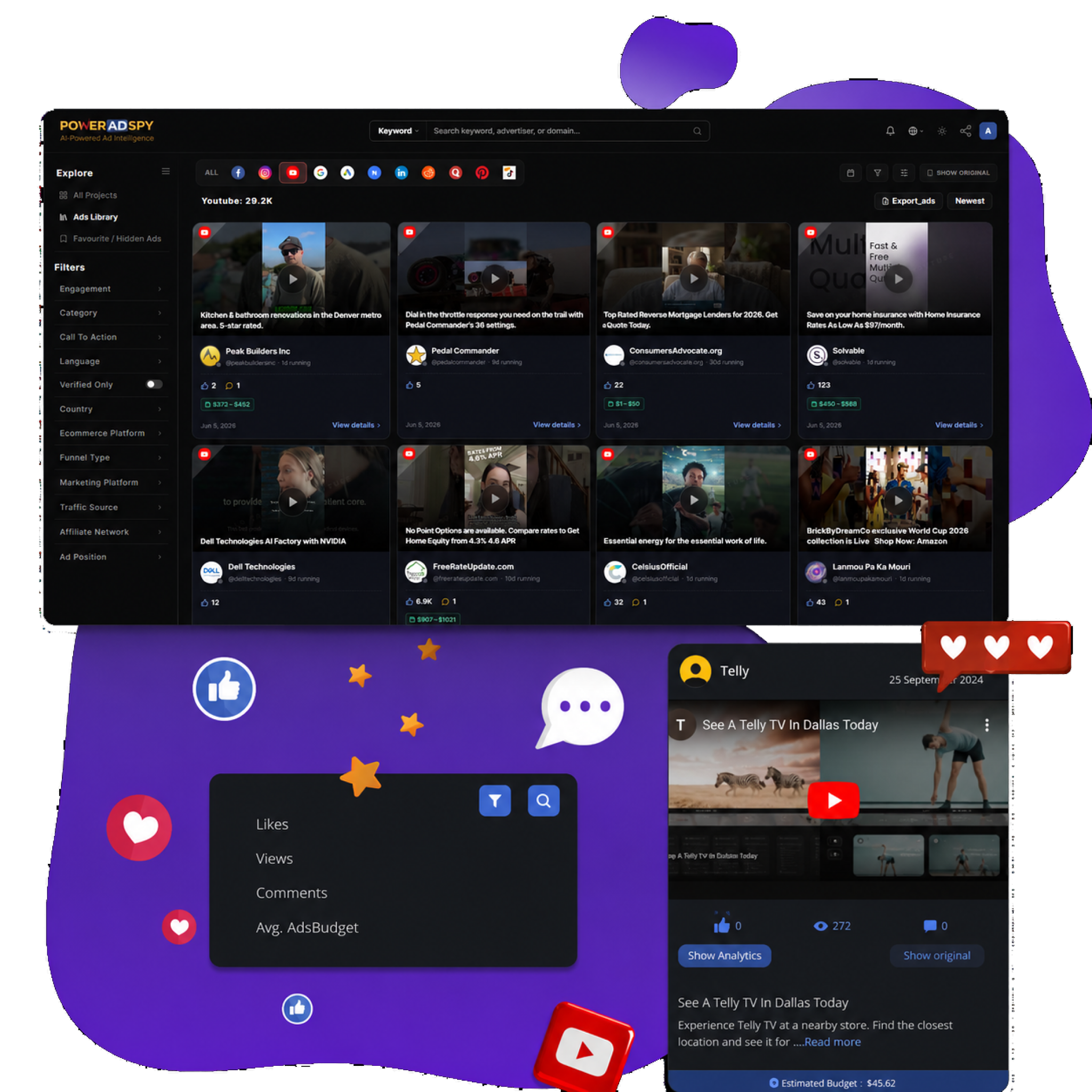
Only here, after CTA filtering, GEO filtering, and a longevity check, should you sort by likes, shares, and comments. At this stage, the viral-but-uncommercial noise is already gone. High engagement within a pre-qualified set is genuinely useful — it tells you which version of a proven commercial approach resonated most. That’s a meaningful signal. It just isn’t a meaningful starting point.
The workflow of finding high-engagement competitor ads and replicating the strategy works well — but only when the engagement pool you’re analyzing has already been pre-qualified for commercial intent. Run it on an unfiltered sort-by-likes result set and you’re modeling your strategy on whoever made the most entertaining ad that week.
Ready to run this sequence? Try PowerAdSpy free — CTA filtering, GEO data, and Watchlists are available across plans, starting at $29/month billed annually.
The Cross-Platform Signal Most Teams Miss
Competitor research conducted on a single platform is incomplete by design. An advertiser running a “Shop Now” ad profitably on Facebook frequently scales the same core hook — sometimes with minimal changes — to YouTube pre-roll, Google Display, or Pinterest. Each platform’s audience responds differently, but the underlying creative angle that’s working tends to be consistent across placements.
PowerAdSpy indexes 500M+ ads across 10 networks — Facebook, Instagram, YouTube, Google PPC, Native, Display, Reddit, Quora, Pinterest, LinkedIn (as of 2026) — with 500K+ new ads added daily. When the same creative concept appears across Facebook, YouTube, and Google Display from the same competitor, that’s not coincidence. An advertiser committing media budget across multiple networks on the same creative has validated it past the point where they’d tolerate waste.
There’s a rule of thumb worth remembering. If a hook works on two platforms and three geos with the same CTA and still fails, it’s a friction issue — offer or landing page — not a creative angle issue. Cross-platform research tells you when you’ve genuinely found a proven angle. That distinction saves weeks of misdirected iteration.
The Meta Ad Library shows current ads — but stops there. It has no cross-platform context, no historic run data tied to a single brand. It won’t tell you which CTA pulled, which geo converted, or whether the same landing page scaled on Instagram Reels, TikTok, and YouTube Shorts. Free tools have real ceilings. Cross-network research is where dedicated ad intelligence pulls decisively ahead.
Bookmark What Actually Survives
Once an ad has cleared all four filters — right CTA, right geography, proven longevity, strong engagement relative to peers — bookmark it. PowerAdSpy’s Bookmark The Best Ads feature saves your finds into a working reference library inside the platform. The goal is a curated swipe file of verified commercial performers, not 200 screenshots from a single morning of trend-chasing. Our research suggests saving 8–12 top ad examples per niche, noting hook lines, problem/solution beats, demo shots, and CTA language is the right working size for a first sweep.
That distinction matters to creative teams. A swipe file of proven commercial creative gives them direction. A folder of viral ads gives them inspiration that doesn’t connect to purchase intent. Users who switch to real ad research report a 15% reduction in A/B testing volume within two months — the pre-qualification work upstream collapses the guesswork downstream.
The Sequence, Compressed
- CTA filter first. Match the call to action to your funnel goal before looking at anything else.
- GEO-filter second. Narrow to the markets where your campaigns will actually run.
- Watchlist longevity check third. Add competitors, return in three to four weeks, qualify what’s still live.
- Engagement sort last. Use it as a tiebreaker on a pre-qualified set, not a discovery tool on a raw one.
- Bookmark survivors. Build a reference library of proven commercial creative, not viral noise.
The instinct to sort by likes isn’t wrong — it’s just in the wrong position. Move it to the end of the process, run it on a filtered pool, and the engagement data suddenly carries weight it never did at the top of the funnel.
Start your free PowerAdSpy trial and run this sequence on your next competitor search. What surfaces at the end versus what defaults to the top of a standard sort will make the argument better than I can.