
Book a live demo today → to see how a multi-platform ad spy expands variables as you scale placements and formats. With a true multi-platform ad spy, you replace guesswork with verified creative, angles, and CTAs pulled from real campaigns across channels.
Moreover, competitors publish fresh creatives daily. Without a way to track trends across networks, you chase every hunch. As a result, budgets spread thin, data stays siloed, and “winner” ads emerge late. The right tool fixes that by showing you proven angles, hooks, and CTAs before you spend.
 , with columns for filters, geo coverage (100+ countries), and pricing tiers suitable for small businesses; modern UI style, bright accent colors, legible labels)
Why Small Businesses Struggle to Track Competitor Ads Across Platforms
Manual tracking breaks once you add a second network. You screenshot a Facebook carousel, note a TikTok hook, and copy a Google RSA headline. Then you try to line them up in a doc.
However, ad formats, dates, and regions don’t match. You lose the thread fast. A multi-platform ad spy makes this work repeatable and clear.
In addition, platforms hide key context. For example, you may see a top-viewed YouTube ad, but not the geo it ran in. Or you find an Instagram Story with strong reactions, but not the device split. Therefore, you end up “porting” ideas that only won because of a format, a country, or a device bias you didn’t see.
Furthermore, blind testing gets expensive. Without proof points from active ads, you test more variants than you need. In practice, teams that add a single, shared ad research workflow report a 15% reduction in A/B testing within two months and 26% save at least one day per ad project. That’s not fluff, it’s the difference between one more version of copy and one more prospect call.
Consider a typical week for a small team: your designer chases TikTok trends, your copywriter optimizes Google headlines, and your media buyer flips between Meta placements. Without a central view, each role optimizes locally, not globally. A multi-platform ad spy lets all three align on the same high-performing hook, then adapt it by placement and device, cutting duplicate work and accelerating lift-off.
The platform sprawl problem
- Facebook and Instagram demand fast, visual hooks.
- Google and YouTube reward intent and longer copy.
- TikTok punishes stale trends within days.
- Native and Display shift by site, widget, and device.
As a result, a “winner” on one network can flop elsewhere. You need side-by-side clarity on message, offer, and CTA across all of them. A multi-platform ad spy keeps you from guessing which lever moved the metric.
Beyond creative, sprawl also impacts timing and frequency. An ad that peaks on YouTube may need heavier dayparting on Facebook, while the same concept on Native requires stronger curiosity gaps. Without unified research, these nuances hide in plain sight and drag results.
What to Look for in a Multi-Platform Ad Spy Tool
You’re buying time and certainty, not just screenshots. So the checklist should start with breadth and end with price you can sustain. Crucially, the best tools mix social, native, and display with filters you’ll use daily. A multi-platform ad spy that stops at two networks will leave gaps you pay to fill in tests.
Platform breadth and formats
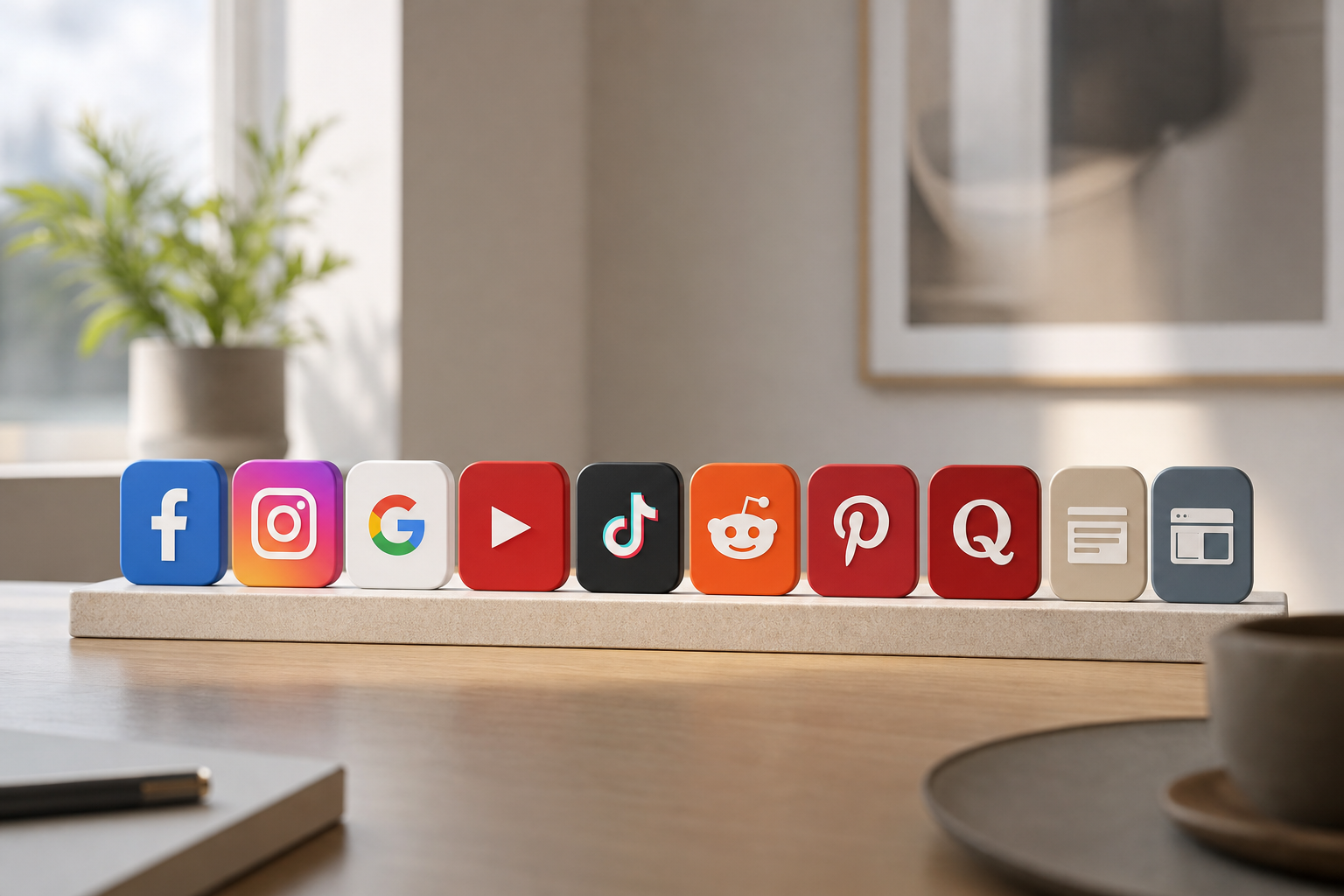
First, make sure the tool spans the channels you care about today and the ones you’ll test next. Coverage should include Facebook, Instagram, Google, YouTube, Reddit, Pinterest, Quora, Native, and Display. In addition, confirm support for both video and image formats so you can study hooks and pacing, not just static copy.
- Verify placement types: feed, stories/reels/shorts, in-stream, discovery, pre-roll, mid-roll, and display widgets.
- Check ad variants: carousels, collections, responsive search ads, responsive display, skippable vs. non-skippable video.
- Look for landing page previews or snapshots to connect creative with destination experience.
Search depth and filters
Second, look for flexible search.
- Keyword, advertiser, and domain
- CTA (e. g.
- Device (iOS, Android, desktop, mobile)
- Date range, ad age, and “running longest”
- Engagement (likes, comments, shares) and impressions index
- Placement (feed, right column, stories/reels/shorts, in-stream, search, discovery)
Moreover, you need geo and demo context. Data from over 100 countries lets you see what plays in your market, not just what went viral somewhere else. Audience age and gender filters help you avoid false positives from the wrong segment.
- Bonus filters to look for: creative length (video duration), headline length, emoji usage, and presence of discounts or price mentions.
- Saved searches with alerts ensure you don’t miss new entries that match your criteria.
Practical pricing and usability
Third, pricing must fit a small-team budget. You need enough searches and exports to plan a campaign without moving up a tier on day two. Therefore, check entry plans and what they include. Also, make sure you can export reports, bookmark finds, and build a dashboard you’ll actually use each morning.
- Confirm export formats: CSV for spreadsheets, PDF for quick client approvals, and image/video assets for inspiration boards.
- Assess collaboration: shared bookmarks, basic seat management, and permissioning so contractors can review finds without changing settings.
- Gauge learning curve: clear onboarding, tooltips, and keyboard shortcuts to speed up repetitive research.
| Buyer Need | Must-Have | Nice-to-Have |
|---|---|---|
| Coverage | Social + Native + Display | TikTok, Reddit, Quora too |
| Data | 100+ countries | Device and placement splits |
| Filters | Keyword, CTA, geo, date | Lander and funnel tags |
| Usability | Bookmarks, exports | Custom dashboards |
| Price | Entry plan under $50/mo (annual) | Team seats later |
Finally, don’t settle for a pretty gallery. The right multi-platform ad spy shows the why behind a win: message, creative, CTA, geo, device, and timing, all in one view. Also evaluate support and documentation, if you can’t quickly answer “why did this ad work here but not there?” the tool won’t speed your decisions.
To go deeper during evaluation, run a 24-hour pilot where you replicate an upcoming brief inside the tool: search top competitors, collect 10 ads per platform, tag each with hook/offer/CTA, and export a single-page summary. If that process feels fast and yields clear direction, you’ve likely found a fit.
Also Read!
PowerAdSpy vs AdClarity for Ad Agencies: Which Is Better for Ad Engagement Tracking?
How PowerAdSpy Delivers Multi-Platform Ad Intelligence for Small Teams
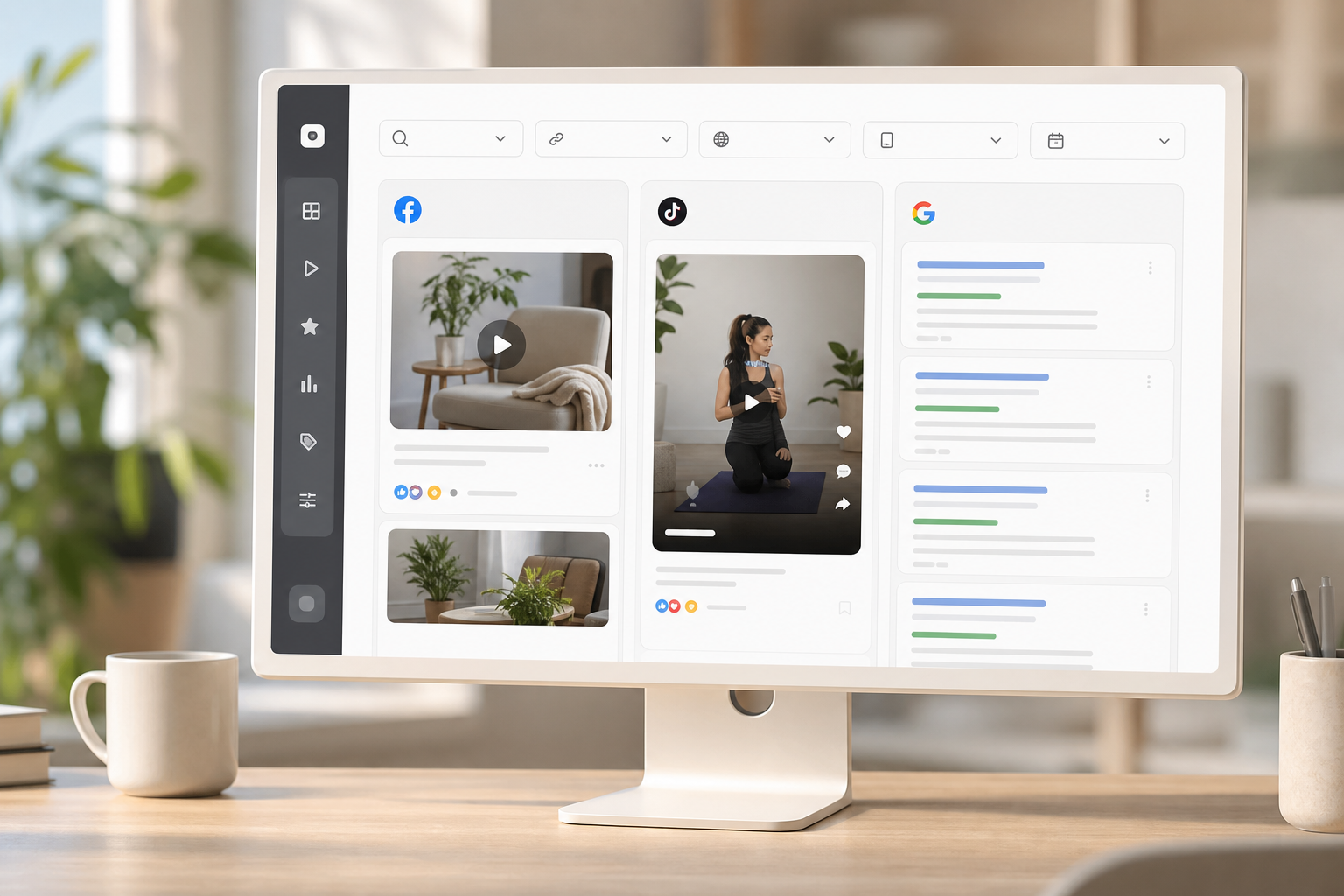
PowerAdSpy was built to give small teams the breadth of a big stack without the workload. As a multi-platform ad spy, it covers Facebook, Instagram, TikTok, Google, YouTube, Reddit, Pinterest, Quora, plus Native and Display, 10+ platforms in one place. That means you can compare a TikTok hook against a YouTube pre-roll and a Google headline in minutes, not days.
In fact, the database includes millions of ads from 100+ countries, with thousands added daily. So you aren’t looking at stale creative. You’re studying live ideas and can click through to visit the post on-platform to verify real-time engagement.
This helps you spot patterns that are still in-market. Under the hood, deduplication prevents counting the same creative across placements as multiple “wins,” while metadata like run-length, engagement signals, and CTA prevalence lets you slice patterns with confidence. You get both breadth and structure, which is the foundation for speed.
For teams juggling multiple client accounts or product lines, unified tagging inside your bookmarks (e. g., “Q2-Sale,” “UGC-Explainer,” “Lead-Gen-Form”) makes it easy to reuse learning across briefs without redoing the hunt.
Find, sort, and save the ads that matter
PowerAdSpy lets you search by keyword, advertiser, or domain and then sort by likes, comments, shares, newest, running longest, popularity, or impressions index. In addition, CTA sorting shows which calls to action win in your niche. Country, age, and gender filters keep your research tied to your real buyer.
“The clarity of the tool makes ad decision-making much easier.” — Steve Decker, SaaS Marketing Manager
Practical workflow tips for small teams:
- Start broad with a keyword + industry filter, then narrow by country and device to match your media plan.
- Use “running longest” as a proxy for durability, then validate by clicking through to live posts for current sentiment.
- Create themed bookmark folders (e. g., risk reversal, urgency, social proof, testimonial video) for faster creative brief assembly.
- Compare two CTAs head-to-head within the same niche to see how offer framing shifts performance.
Go from idea to plan without lifting a team
Moreover, geo data, device filters (iOS, Android, desktop, mobile), and ad position filters (feed, side column, marketplace, video feed) help you see the full context. Then, you can bookmark the winning ideas and export detailed reports for quick buy-in with your team or client. As a result, small teams report a 19% improvement in revenue with decreased workforce and increased work efficiency, and 23% say it’s affordable, easy, and complete enough to run with.
“We’ve cut back on testing time and launched campaigns that get results.” — Archie Gilbert, Marketing Director
To bridge research and execution, export a short “creative pack” that includes screenshots, transcript snippets for video hooks, and annotated notes about geo/device. This artifact accelerates stakeholder alignment and reduces revision cycles.
Built for ecommerce and affiliates too
Specifically, the Shopify ad search shows products, engagement, and funnels in one scan. You can also filter by affiliate network, ecommerce platform, landing page funnel, and date interval. Therefore, you can reverse-engineer a store’s creative and sequence before you spend a dollar.
For example:
- Identify whether top competitors lean on UGC unboxings, before/after carousels, or studio reels.
- Spot common offer structures (free shipping thresholds, BOGO language, limited-time bundles) and map them to CTAs that recur in your niche.
- Trace funnel patterns—ad → presell page → product detail page → checkout—to see where friction is intentionally added or removed.
Also Read!
PowerAdSpy vs Dropispy for Dropshippers: Which Is Better for Shopify Ad Spying?
How to Search Competitor Ads by Keyword and Domain as a Dropshipper
PowerAdSpy vs. SpyFu vs. Anstrex: Which Fits Small Business Budgets?
You don’t need “every” feature. You need the right mix at a price you can defend. Compared to alternatives, PowerAdSpy’s edge is breadth across social plus native and display, and an entry plan that’s friendly to small teams. As a multi-platform ad spy, it covers 10+ platforms including Reddit, Quora, and Pinterest, areas where some rivals go light.
SpyFu is strong on Google Ads and SEO research but limited on social ad coverage. So, if your plan skews to search and you rarely touch paid social, SpyFu may fit, but you’ll miss cross-network creative trends. Anstrex shines on native ad networks, with solid publisher and lander views, yet it includes fewer social platforms. If your spend is heavy on Taboola/Outbrain, Anstrex can help, but you’ll still need a separate social view.
PowerAdSpy offers the widest platform coverage at a small-biz price: Basic at $29/mo billed annually, and Standard at $42/mo billed annually. Therefore, you can start lean, then scale features and volume as you grow. Importantly, those tiers include the filters and exports you need to plan a full campaign, not a teaser.
If your roadmap includes experimenting with TikTok or Pinterest in Q1, then layering in Native in Q2, consolidating with one tool avoids context switching and saves subscription bloat.
| Criteria | PowerAdSpy | SpyFu | Anstrex |
|---|---|---|---|
| Platforms Covered | 10+ (FB, IG, Google, YouTube, TikTok, Reddit, Pinterest, Quora, Native, Display) | Google focus | Native focus, fewer social |
| Strength | Cross-platform creative + filters | Search/SEO depth | Native ad research |
| Entry Annual Price | $29/mo | Varies | Varies |
| Best For | Small teams that need social + native + display in one | Search-heavy buyers | Native-heavy buyers |
“It reduced my time on research tremendously! It felt like having a team of social media professionals by my side.” — Charlotte Neilson, Social Media Influencer
As you decide, weigh how many networks you’ll touch in the next 90 days. If the answer is three or more, breadth pays for itself by cutting testing laps you’d otherwise run.
Also evaluate your reporting needs. If you present weekly to stakeholders, saved searches and one-click exports can reclaim hours that would otherwise be spent compiling screenshots and links.
Start on the Basic plan today → dominate your niche this month.
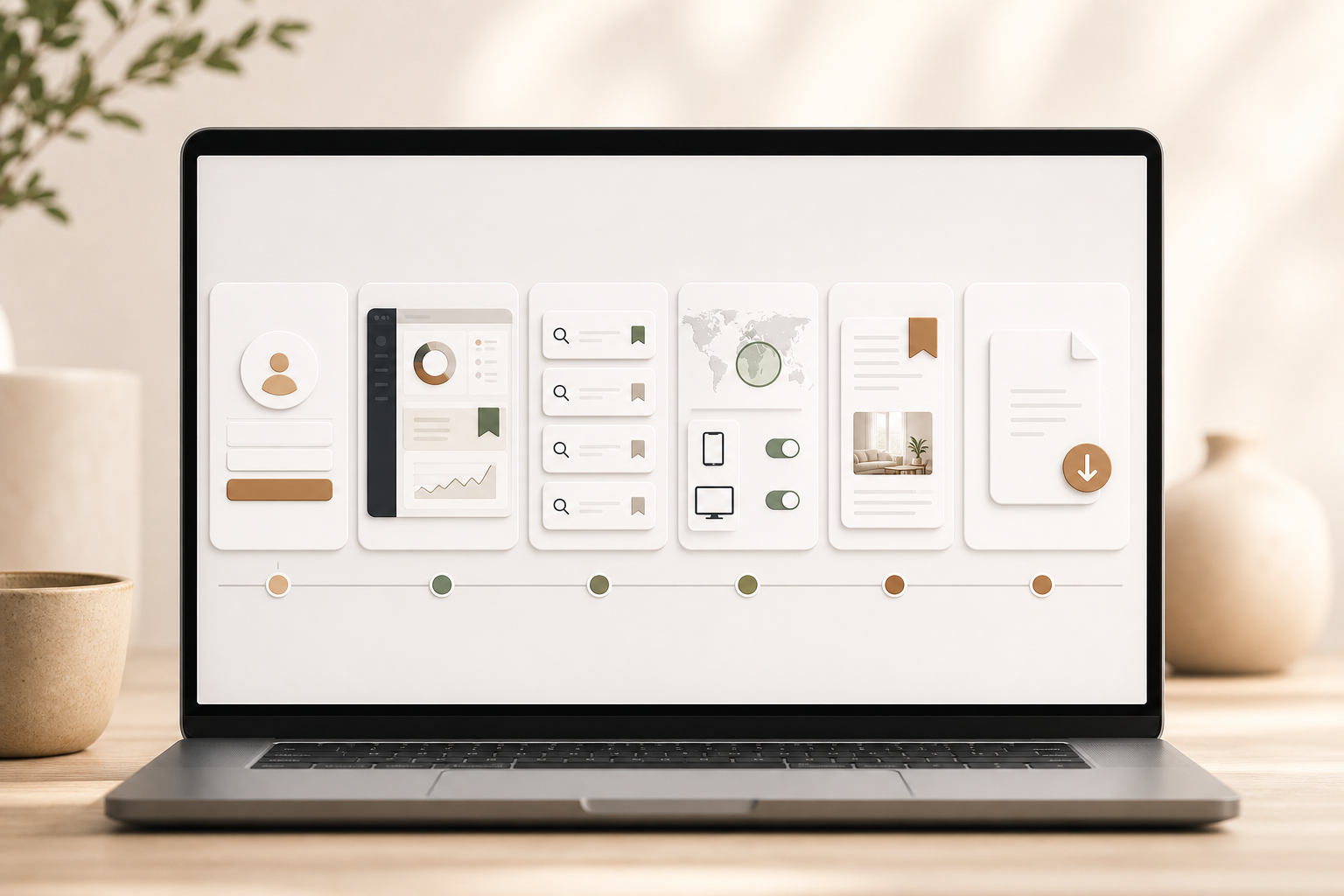
Step 1: Define your outcome and target context
First, outline the conversion you’re optimizing (lead, purchase, registration), your geos, devices, and primary placements. This prevents chasing creative that won because of contexts you won’t buy.
Step 2: Set up saved searches for your niche and offers
Second, create saved searches by category, keyword themes, and competitor domains. Turn on alerts so you’re notified when fresh ads match your criteria, keeping research continuous rather than episodic.
Step 3: Compare cross-platform angles before drafting
Third, identify angles that travel well across channels, social proof, risk reversal, time-bound urgency, then note the adaptations each platform favors (e. g., snappier hooks on TikTok, benefit-forward headlines on Google).
Step 4: Add geo, device, and placement context
Fourth, refine with country, age, and gender filters. Then, split by iOS, Android, desktop, and mobile, and use ad position filters for feed vs. video. As a result, you’ll avoid copying winners that relied on a context you don’t plan to buy.
Step 5: Bookmark and organize ideas
Fifth, use the Bookmark feature to group ad concepts by theme: hook, offer, social proof, or creative style. Moreover, subscribe to those groups so you get updates when new matching ads appear.
Step 6: Export a quick report
Sixth, export detailed ad performance reports and share them with your team or client. Therefore, you can align on angles and formats before you write a single line of copy.
Add a one-page brief that lists: top 3 hooks, top 2 CTAs, recommended placements, and any geo/device caveats. This reduces ambiguity when production begins.
Get instant ad insights →, starting on Basic and timing upgrades around those peaks can maximize value without long-term overspend.
Also Read!
Best Competitor Ad Search for Dropshippers in 2026
PowerAdSpy vs Dropispy for Dropshippers: Which Is Better for Competitor Ad Search?
Frequently Asked Questions (FAQ)
How many ad platforms does PowerAdSpy actually cover?
PowerAdSpy covers 10+ platforms, including Facebook, Instagram, Google, YouTube, Native, Display, Reddit, Quora, Pinterest, and more. Unlike tools that handle only two to four networks, this breadth lets you study creative and CTAs across the channels you buy. As a result, you can spot angles that travel well before you test them.
Coverage also helps you validate whether a competitor’s “big idea” is isolated to one channel or part of a broader, repeatable theme worth modeling.
How accurate and up-to-date is the ad data?
The database includes millions of ads from 100+ countries, with thousands of new ads added daily. Furthermore, you can click to visit live ad posts and verify real-time engagement and comments. This helps you confirm that a winning pattern is still active, not weeks old.
When evaluating recency, use a combination of “newest,” “running longest,” and engagement trend lines to avoid over-weighting one-day spikes or aging hits.
How does PowerAdSpy compare to free alternatives like Facebook Ad Library?
Facebook Ad Library is useful, but it only covers Meta properties. It also lacks engagement metrics, deep filters, and any cross-platform view. PowerAdSpy adds analytics, CTA sorting, geo targeting, and coverage that spans social, native, and display. Therefore, you can make faster, higher-confidence calls.
You can still use Ad Library to confirm compliance elements or policy notes, while relying on PowerAdSpy for ideation depth and multi-network strategy.
Can I use PowerAdSpy if I only run ads on one platform like Facebook?
Yes. The Facebook Ad Spy Tool includes keyword search, engagement sorting, ad position filters, and demographic targeting. You get depth on one network now, and the option to explore more platforms as you scale. That future flexibility saves you a second tool later.
Even single-channel teams benefit from watching adjacent platforms: patterns from TikTok UGC often inform high-performing Reels/Stories edits on Meta.
What’s the best cadence for small teams to use PowerAdSpy?
Adopt a lightweight weekly rhythm:
- Monday (30–45 min): Review saved-search alerts, tag promising ads by hook/offer/CTA, archive outdated finds.
- Midweek (20–30 min): Deep-dive 1–2 themes (e. g., testimonial UGC or price anchoring) and update your creative backlog.
- Friday (20 min): Export a one-page “next tests” brief with 2–3 hypotheses and assign owners.
This cadence keeps research continuous without overwhelming production, and it ensures each sprint starts with evidence.
Can I filter by language or industry?
You can target by country and keywords to approximate language and industry nuances, and you can refine with domain/advertiser filters for competitive sets.
- Search native-language keywords and CTAs (e. g., “envío gratis,” “livraison offerte”).
- Filter by local geos and verify on-platform that captions and headlines match your target language.
- Create separate saved searches for each sub-vertical (e. g., “DTC skincare,” “B2B accounting”) to keep results focused.
How do I turn insights into ethical, testable creative without copying?
Work from patterns, not replicas.
- “If we lead with a customer quote in the first 3 seconds, then scroll-stop rate will improve.
- “If we swap ‘Learn More’ for ‘See Pricing’ on retargeting, then CTR will lift for bottom-funnel audiences.
Document your version in brand voice, swap in your proof (reviews, stats, demos), and adjust for your placements and devices. This approach preserves originality and protects your brand while still harnessing market-proven structures.
Does PowerAdSpy help B2B and SaaS, or only ecommerce?
It helps both. For B2B/SaaS, study how competitors frame pain points, surface ROI claims, and sequence education before conversion on social and video placements. Analyze hooks like problem-agitation, product-in-action clips, and customer logos to inform your own creative. Then map learnings to search and YouTube where intent and longer explanations pay off. Even if your primary channel is search, cross-referencing social/video creatives will sharpen messaging for remarketing and content-led funnels.
What are good KPIs to track after adopting a multi-platform ad spy?
Start with practical indicators of research-driven efficiency and lift:
- Creative-cycle time (brief to go-live)
- Variant count per test (aim to cut unnecessary branches)
- First-week CTR and scroll-stop rate on new ads
- Cost per add-to-cart/lead on early iterations
- Reuse rate of proven hooks across platforms
Track these alongside win-rate of hypotheses derived from your research. Over 4–8 weeks, you should see fewer misses, faster locks, and more predictable scaling.
Final Takeaways
- You win faster when you study live, cross-platform ads before you test. A single research workflow can trim A/B volume by 15% and save a day per project.
- Breadth plus filters beat pretty galleries. Look for 10+ platforms, 100+ countries, deep search, CTA sorting, and geo/device context in one place.
- Small teams can afford real ad intel in 2026. PowerAdSpy starts at $29/mo billed annually and users report a 19% revenue lift with less workforce.
- Complement research with disciplined execution: translate each insight into a testable hypothesis, set a minimum sample size, and document results so learnings compound.