
**Start your free trial today →
Instagram Direct is the app’s private messaging inbox where you can send texts, photos, videos, voice notes, and more. To achieve Instagram Direct use effectively in 2026, focus on fast replies, organized threads, clear safety settings, and the right tools to scale without losing the human touch.
That’s the short answer. Instagram Direct works like any modern chat: you tap the paper airplane icon (or Messenger bolt icon), open a thread, and send a message. However, there’s real depth here. You can send disappearing content with Vanishing Mode, create group chats, and manage message requests from people who don’t follow you. As a result, your DMs can become a reliable channel for support, sales, and content sharing, not just a place to say “hi.
Moreover, direct messages are where fans ask questions, buyers share screenshots, and partners coordinate content. If you reply well and keep your inbox tidy, you’ll see better engagement on your posts and Reels. In 2026, that tight link between public content and private threads is one of the clearest paths to stronger relationships on Instagram.
What Is Instagram Direct, and How Does It Work?
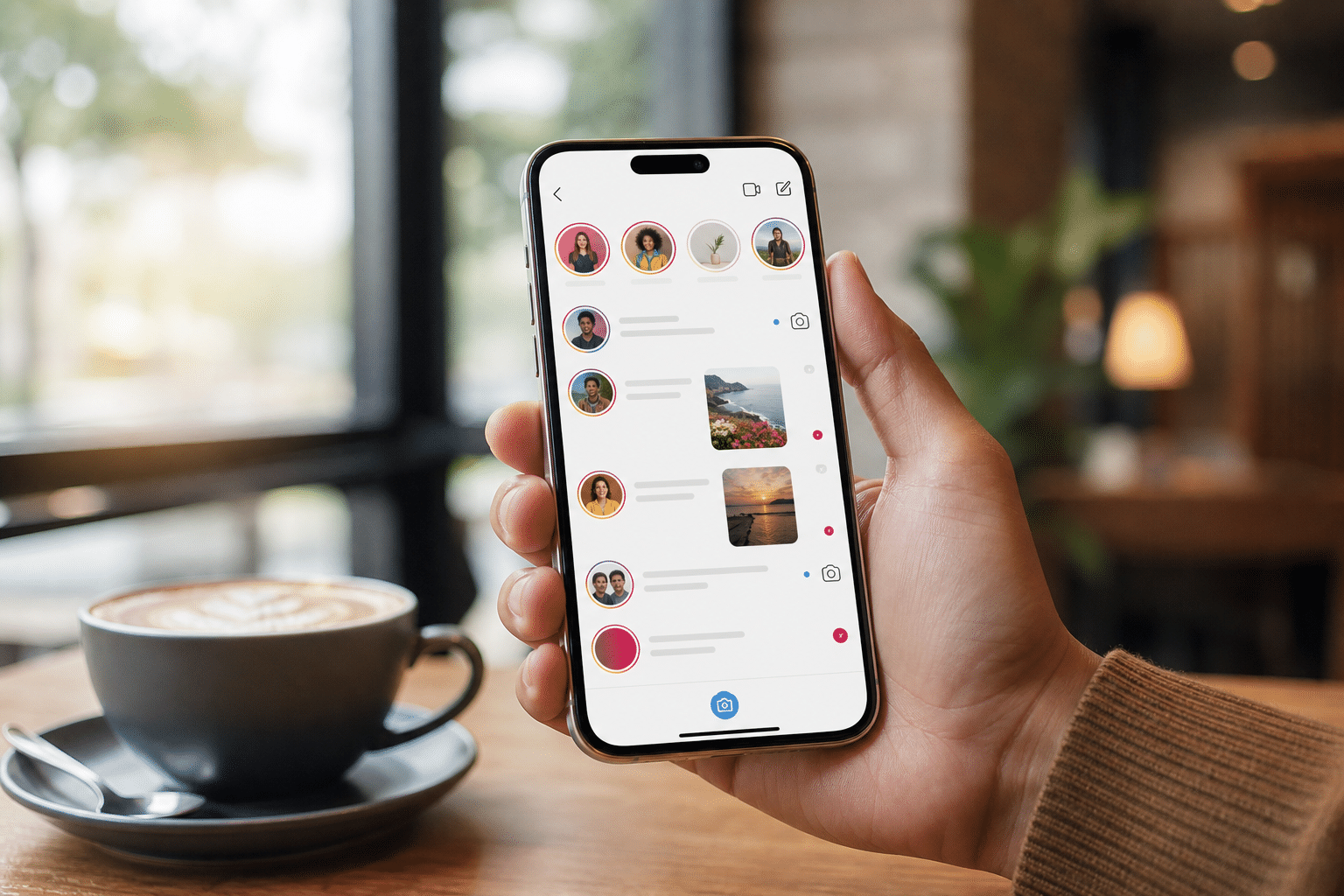
Instagram Direct is the in‑app messaging feature inside Instagram (see background on the platform in Instagram on Wikipedia). You’ll find your inbox in the top right of the app. From there, you can send text messages, photos, videos, voice notes, stickers, GIFs, and even share posts and Reels straight into a chat. In addition, you can react to messages with emojis and reply to a specific message to keep context clear.
Furthermore, you can create group chats. These support shared media, reactions, polls in Stories you share, and pinned messages. For clubs, creator teams, or a small support queue, a group thread helps keep related replies in one place. Therefore, you don’t lose time jumping between one‑off chats.
Privacy and Requests
Vanishing Mode adds a privacy layer. Specifically, when you turn it on in a thread, messages disappear after they’re seen and the chat is closed. It’s handy for short‑lived info like one‑time codes or feedback you don’t want to store. However, always use Vanishing Mode with people you trust, and remember that screenshots can still happen.
Message Requests hold DMs from people who don’t follow you. You can accept, delete, or block. As a result, your main inbox stays clean while you review new contacts. If you run a business or creator account, this folder can include buyers, partners, and press, so a quick weekly review pays off.
What you can send in Direct
You can share:
- Text with line breaks, emojis, and reactions for fast tone and clarity.
- Photos and videos from your camera or gallery, with edits and stickers.
- Voice notes for nuance when typing is slow or tone matters.
- Posts and Reels from your feed to spark private chats with context.
For Instagram direct use effectively, think in threads, not one‑offs. Tie each DM to a post, a question, or a next action so the chat moves somewhere useful.
How to Use Instagram Direct: Step-by-Step Guide
Getting value from DMs comes from simple habits. Set up your inbox, write clear first replies, and build a few quick replies for repeat questions. Then, keep your request folder in check and use privacy tools with care.

- Access your DMs
- Open Instagram and tap the paper airplane/Messenger icon in the top right. Your Primary inbox shows priority threads; the General tab holds lower‑priority chats you’ve moved there.
- Send your first message
- Tap the compose icon, type a name or @handle, select the user, and write a short, clear note. For example, start with context: “Saw your comment on our Reel about shipping—happy to help here.
- Share posts or Reels via DM
- Tap the paper airplane under a post/Reel, pick a contact or group, and add a message like, “Here’s the tutorial we mentioned.” This turns public engagement into a focused chat.
- Create a group chat
- From compose, select two or more people, name the group (e.g., “Client Onboarding — May 2026”), and set a shared goal. In addition, pin the start message so late joiners see the plan.
- Use quick replies for FAQs
- In a business/creator account, go to your messaging tools and add quick replies for repeat questions (e.g., shipping times, return policy, booking steps). Then, type a shortcut like “/ship” to insert the saved text. Keep them short, human, and editable.
- Manage message requests
- Open Requests, scan senders and preview text, and decide: Accept, Delete, or Block. Therefore, you protect your inbox while never missing a real lead or partner.
- Enable Vanishing Mode
- Open a thread, swipe up and release to turn on Vanishing Mode. You’ll see a darker chat theme. Swipe up again or exit to turn it off. However, don’t put critical info in disappearing messages—save those in normal chats.
For Instagram direct use effectively, keep replies under 10 minutes during working hours if you run a business account. Clear, fast answers build trust and lift reply rates on future posts.
Also Read!
How to Find and Use the Amazon Fresh Weekly Ad to Save on Groceries
Common Mistakes People Make With Instagram Direct
Small missteps stack up fast in DMs. You might ignore Requests, send canned answers that feel cold, or cold‑pitch strangers who never asked to chat. In addition, safety gets messy if you don’t use features like Restrict to limit bad actors.
Ignoring the Message Request folder
If you never check Requests, you miss buyers, press, and collaboration asks. Set a weekly 15‑minute review. As a result, you’ll rescue legit threads and delete the rest.
Over‑automating business replies
Quick replies save time, but a wall of scripts kills trust. Start with a saved answer, then add a line that matches the user’s question. For instagram direct use effectively, keep it human: name, next step, and a time frame.
Cold‑pitching strangers
Unsolicited sales DMs feel spammy. Instead, reply to a public comment with value, then invite a DM if they want details. Therefore, you earn permission before you pitch.
Neglecting response time
If you leave people hanging, they go elsewhere. Set a simple SLA for DMs, like “we answer in under 4 hours on weekdays.” Then, add one fallback auto‑reply outside hours to set expectations.
Not using Restrict for safety
The Restrict feature lets you limit someone’s visibility and interactions without a public block. Use it on edge cases to protect yourself and your community. However, escalate to Block for clear abuse.
Tools and Resources to Improve Your Instagram Messaging Strategy
As your inbox grows, you need better tools. First, Meta Business Suite lets you handle DMs, Facebook messages, and comments in one place. In addition, it supports basic automation and saves time if you manage more than one account.
Second, Instagram’s built‑in quick replies help you answer FAQs fast. Specifically, create short, clear templates for shipping, pricing, booking, and hours. Then, update them monthly so they don’t feel stale.

Third, connect a CRM or help desk through approved integrations to track contacts, tag conversations, and report on response time and resolution. Therefore, your team can share context and keep tone steady across shifts.
Learn from ad insights
Finally, if you want to study what sparks DM conversations from ads, tools like PowerAdSpy can help.
- PowerAdSpy is an AI-powered ad spy tool with access to ads on Facebook, Instagram, TikTok, Google, Reddit, Pinterest, and more.
- According to its own user data, the platform includes millions of ads from over 100 countries and reports a 15% reduction in A/B testing volume for users under two months of usage, a 19% improvement in user revenue with decreased workforce and increased work efficiency, 23% of users find it affordable, easy, and complete, and 26% save at least one day preparing for an advertising project.
In addition, its Instagram Ad Spy Tool shows creatives, hooks, and calls to action that prompt viewers to DM. As a result, you can model what works and test faster in 2026.
“We’ve cut back on testing time and launched campaigns that get results. This tool is now our agency’s secret weapon!” — Charlotte Neilson, Digital Marketing Strategist
For thoughtful teams, this mix. Suite for scale, quick replies for speed, CRM for tracking, and ad insights for ideas, keeps your messages both fast and real.
What to Do Next: Put Instagram Direct to Work
A simple plan beats a perfect plan you never start. This week, map your inbox flow, add three quick replies, and try one content‑to‑DM test per day. Therefore, you’ll build a habit you can scale.
-
Audit your current DM workflow
-
Trace how a comment or Story reply becomes a DM, then a next step. Note hand‑offs, delays, and where answers repeat. In addition, mark which questions need a saved reply.
-
Set up quick replies for FAQs
-
Add three to five replies: shipping, pricing, returns, booking. Keep each under 60 words, add one link or step, and invite a follow‑up question.
-
Review Requests weekly
-
Block bad actors, delete noise, and accept real leads. Then, tag accepted chats with a simple label like “Lead — May 2026” in your CRM or notes.
-
Share content via DMs to boost engagement
-
After posting a Reel, share it with 5–10 warm contacts who asked about that topic. Ask one specific question to spark a reply.
-
Set safety defaults
-
Learn Restrict, Report, and Vanishing Mode. In addition, write a short policy so your team knows when to use each.
For instagram direct use effectively, keep it personal and short. A name, a next step, and a time frame beat a long script every time.
**Compare plans, instant access →

Key Takeaways
-
Instagram Direct is more than chat. It’s the bridge between your public content and private answers. In 2026, fast, human replies lift trust and drive saves, shares, and sales from your posts and Reels.
-
Use the core tools with intent. Text, photo/video, voice notes, and Vanishing Mode each fit different needs. For sensitive info, use normal chats; for short‑lived notes, use Vanishing Mode but assume screenshots are possible.
-
Keep your inbox organized. Create group chats for projects, pin key messages, and review Requests weekly. Therefore, real leads don’t get lost behind spam.
-
Scale without going cold. Write quick replies for your top 5 FAQs, but add a custom line to each send. As a result, your messages feel alive, not canned.
-
Study what triggers DMs from ads. Tools like PowerAdSpy surface hooks and creatives used in Instagram ads across many countries, which helps you test smarter and faster without starting from zero.
What to Do This Week: pick one gap (slow replies, no quick replies, messy Requests), fix it in one hour, and set a reminder for next week. Small, steady changes win.