
A Shopify ad spy tool helps dropshippers discover winning products, high-performing creatives, and proven landing pages before spending money on testing. Instead of guessing which products might work, you can analyze live ads, engagement signals, CTAs, and Shopify stores already generating traction.
In 2026, successful ecommerce brands rely on ad intelligence to shorten research cycles, reduce testing costs, and launch campaigns faster. The right tool helps you uncover product trends, identify profitable angles, and understand how competitors structure their funnels.
This guide covers what to look for in a Shopify ad spy tool, which features matter most for dropshippers, and how PowerAdSpy compares to other options on the market.
Start your free trial today →
Why Dropshippers Struggle to Find Winning Shopify Ads
Testing “blind” drains budgets. You hunt for products on social, click through to stores, and guess at signals. However, the grind hides the truth: most public ad libraries weren’t built for ecommerce, and even fewer zero in on Shopify-linked ads.
Facebook Ad Library helps you confirm if an ad exists, but you can’t sort by real engagement, CTA type, landing page tech, or country in a way that answers “Should I test this SKU?” Moreover, without an ecommerce platform filter, you waste cycles on ads that point to marketplaces, custom stacks, or affiliates that don’t map to a lean Shopify build.
Where native libraries fall short for ecommerce
On the other hand, manual checks on TikTok, Instagram, and Google are slow. For example, scanning TikTok’s native tools and then bouncing to each landing page steals hours with mixed signals. If you want a deeper primer on social libraries’ limits and strengths, see our plain-language breakdown here: TikTok ad library. It shows why native libraries are good for compliance checks but weak for product-first research.
Furthermore, most tools blur ecommerce with lead gen or B2B. As a result, you sift through SaaS webinars and local services before you reach a clean feed of Shopify ads. You also lack cross-platform context. A product that looks dead on Facebook might be scaling on TikTok with UGC. Without a way to compare, you either pass on winners or over-test losers.
The hidden costs of “guess and check”
- Burn cash on the wrong markets due to no GEO filter.
- Ship creatives that miss the CTA style users expect for that niche.
- Lose days on ads that don’t even run to Shopify.
- Miss timing. By the time you confirm demand, the curve has peaked.
Therefore, the fix is simple in theory: filter for Shopify, sort by engagement, view the live post, and inspect the lander before you spend a dollar. In practice, that needs a tool that treats ecommerce as first-class, not an edge case. It also needs to keep up with 2026 ad formats, from Reels to TikTok Spark Ads, and from dynamic product feeds to YouTube shorts.
Also Read!
What to Look for in a Shopify Ad Spy Tool
Shopping for research tools feels like picking a supplier: you want low cost, fast ship, and steady quality. The right stack should shorten the path from idea to test while cutting waste. Here’s what matters for dropshippers who need cash flow now, not next quarter.
Must-have ecommerce filters
First, demand Shopify store detection. You need an ecommerce platform filter that isolates ads driving to Shopify, not to marketplaces or custom stacks. Moreover, you should be able to search by domain and confirm the store tech on the landing page. Without this, your “winners list” is noise. The best implementations also capture subdomains, password-protected previews, and common headless setups that still rely on Shopify checkout, so you don’t miss modern builds.
Second, insist on engagement sorting and CTA filtering. For example, you need to sort by comments, shares, likes, date, “running longest,” and popularity. Furthermore, CTA filters (Shop Now, Learn More, Get Offer, etc.) show which prompts users click in your niche. That’s how you draft your first creative to match market norms. Bonus: per-ad or per-variant engagement deltas help you avoid inflated totals across near-duplicates.
Third, look for GEO-targeting across 100+ countries and multi-platform coverage. In addition, a tool that spans Facebook, Instagram, TikTok, Google, YouTube, Reddit, Pinterest, Quora, Native, and Display helps you spot channel-market fit. A product that’s “mid” on Facebook might crush in one EU market on TikTok short-form or IG Reels, and a quick compare view lets you see that contrast without hopping tools.
To go deeper, prefer tools that layer placement context and language detection. Seeing that a creative works in Stories with on-screen captions in DE or ES, versus a feed placement in EN, instantly shapes your script and subtitle plan. Bonus points if you can filter by duration brackets (under 15s, 15–30s, 30–60s) to align with platform watch-time norms.
Practical search examples to stress-test a shopify and ecommerce ad spy:
- Query 1: “silicone drain catcher” + Shopify + DE + Stories placement + under 15s duration.
- Query 2: “pet hair” + TikTok + UGC flag + “Shop Now” CTA + running longest.
- Query 3: competitor_domain. com + UK + video only + comments descending.
- Query 4: “BOGO” + Pinterest + headless Shopify + “Get Offer” CTA.
Lander, funnel, and data hygiene
Fourth, review landing page analysis. Specifically, the tool should let you visit the live ad post, inspect the lander, and search lander properties by ecommerce platform, funnel tool, or affiliate network. As a result, you cut the loop from ad-to-checkout and copy what works. Advanced options also fingerprint checkout add-ons (warranties, upsell widgets) and surface pay-in-4 badges or trust seals that can lift AOV.
Fifth, don’t overlook freshness and deduplication. The database should add new ads daily, de-duplicate variants, and surface meaningful differences (caption, hook, first frame, CTA, voiceover) so you aren’t inflating engagement by counting near-identical creatives. Bonus points if you can see first-seen/last-seen timestamps and trendlines to avoid “late to the party” picks. If your tool flags “creative fatigue” indicators (e. g., engagement rate falling as impressions rise), that’s even better.
Data hygiene essentials you want to see:
- Per-variant IDs that tie back to the canonical creative.
- Clear labels for cross-posts, Spark/allowlisted posts, and dark posts.
- Country-level first-seen/last-seen, not just global timelines.
- Canonical domain resolution that accounts for tracking parameters and redirects.
- Explicit markers for UTM usage and whether the same creative points to multiple funnels.
Beyond detection, lander insights should include:
- Page speed and core web vitals, including whether images are lazy-loaded and whether the above-the-fold section is immediately clear. – Presence of social proof modules, review counts, and star-rating widgets. – Pricing models (bundles, BOGO, tiered discounts) and guarantee language.
- Mobile-first layout checks, sticky ATC behavior, and in-cart upsell triggers. – Payment options and financing language (BNPL, regional wallets) that correlate to higher AOV in specific GEOs. – Localized tax/shipping calculators and delivery-time promises calibrated by country or region.
Creative context and production signals
Sixth, evaluate creative context features. Can you filter for UGC vs. brand studio, identify Spark/allowlisted ads, or search by on-screen text and objects? These details matter because they map directly to production briefs and what you’ll ask creators to film. Object recognition (bottle, pet, stroller) and text OCR (e. g., “50% OFF ENDS MIDNIGHT”) save hours when you need to replicate a hook.
Seventh, weigh collaboration and export options. Teams move faster when you can export shortlists to sheets, share bookmarks, tag by funnel stage, and leave notes for VAs and editors. If you work with freelancers, role-based permissions, simple allowlists of domains/competitors, and an activity log prevent duplicates and keep everyone aligned.
Finally, price-to-value matters. Therefore, weigh how much research time you save each week against the plan cost. For a Facebook-focused deep dive, our explainer on picking an ad spy tool lays out what data actually moves ROAS when you’re on a tight budget. Also consider pay-as-you-grow options, if you only need 1-2 seats and modest quotas now, you shouldn’t be pushed into an enterprise plan.
Quick buyer’s checklist (save or screenshot)
- Shopify-specific filter plus domain and lander tech checks
- Sort by likes, comments, shares, newest, and running longest
- GEO filters across at least 100 countries
- CTA filtering and ad position filters (feed, story, video)
- Multi-platform coverage (FB/IG/TikTok/Google/YouTube/Reddit/Pinterest/Quora/Native/Display)
- Clear price tiers with export and bookmarks included
- Freshness signals (first seen/last seen), deduping, and trend views
- UGC, Spark/allowlist, and ad position flags that influence production
- Team collaboration features (shared bookmarks, notes, roles)
- Optional API or CSV export for deeper analysis and BI dashboards
- Screenshot/video capture for swipe files and script briefing
- Comment-sentiment scan or quick “question vs.
- Duration and placement filters to align with channel-native expectations
- Headless Shopify detection (subdomain checkout, Hydrogen front-ends) so you don’t miss modern stacks
How PowerAdSpy maps to the checklist
Put bluntly, a shopify and ecommerce ad spy earns its keep if it turns your 10-product test list into 4 high-confidence bets you can ship this week, with creatives that fit the platform and a lander flow you’ve already seen work.
Book a live demo, see it in action → before you copy a layout or bundle. As a result, you skip the dead-ends and focus on stores that match your build path.
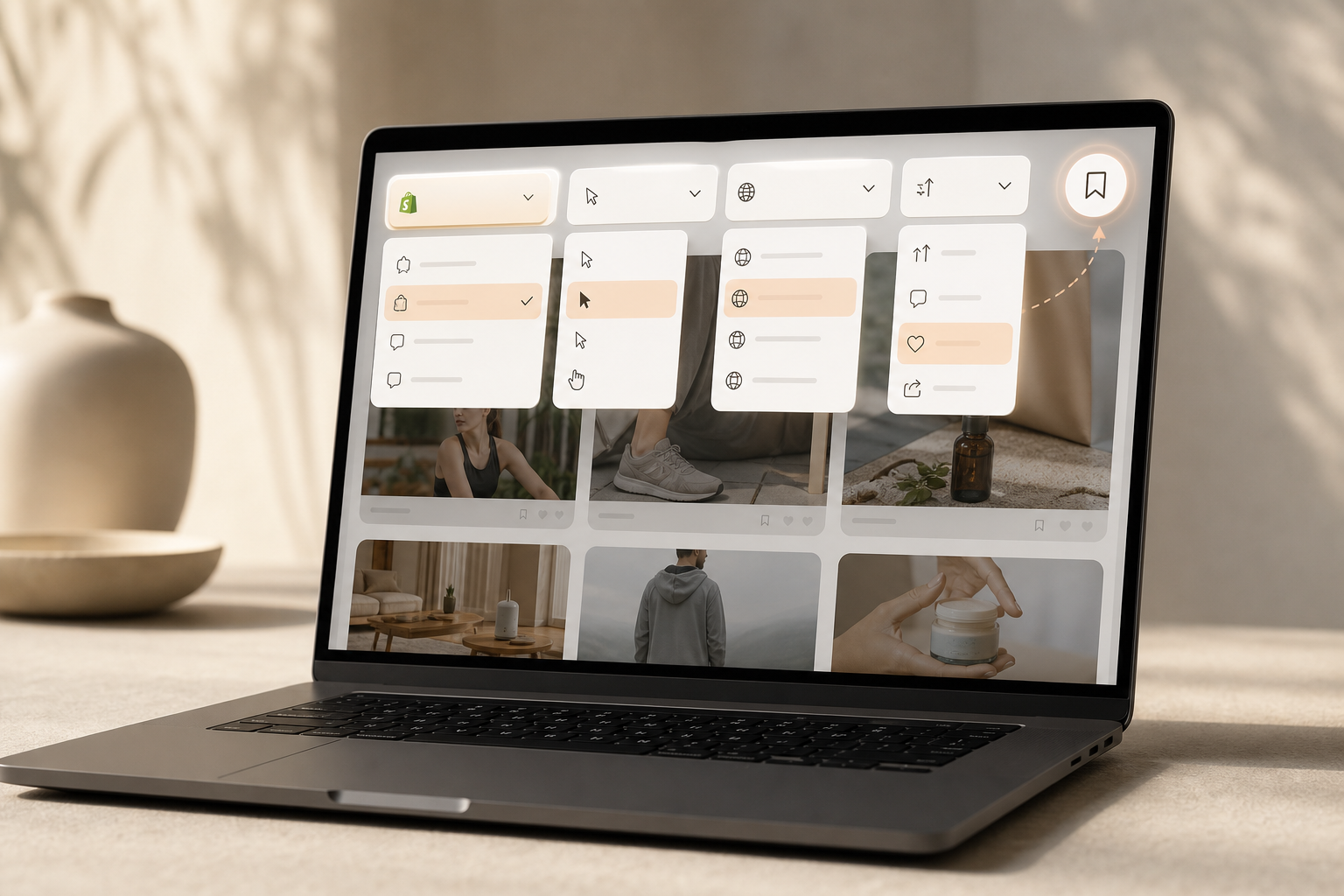
Second, engagement metrics and CTA sorting turn browsing into shortlists. Specifically, you can sort by likes, comments, shares, popularity, and “running longest,” then break down ad components and CTAs. Furthermore, you can click through to the live post to read real comments. That’s gold for copy angles and objections to tackle in your first variant.
Third, the GEO filters span 100+ countries, so you can spot product-market fit by region. For example, a winter sports accessory may light up in the Nordics while it sits flat in the US. With country filters and ad position views (feed vs. video), you map creative style to the channel that actually converts for that SKU.
“Running ads for multiple clients can be stressful, especially when results are slow. This Facebook ad spy tool made life so much easier. We’ve cut back on testing time and launched campaigns that get results.” — Charlotte Neilson, Digital Marketing Strategist
Moreover, the database includes image and video ads with a growing set of social video creatives. That matters in 2026, where TikTok and Reels drive impulse buys. In addition, the Bookmark feature lets you save winners by niche and funnel stage, so you and your VA can align on what to build next. For teams that iterate quickly, a saved view of “Week 1 tests” versus “Scale candidates” keeps meetings short and output high.
You can also search by keyword, object, or advertiser domain to triangulate product ideas and angle-market fit. For example, combine “pet hair,” “Shopify,” and “DE” filters, then scan live comments that mention shipping or sizing to prioritize what to test first. Exports and CSVs let analysts build lightweight dashboards to track which hooks recur among winners each month, improving your scripting hit rate.
Agency and team workflows
Agencies and in-house teams benefit from clear division of labor inside an ad spy. A media buyer can pin GEOs and placements, a creative strategist can tag hook archetypes and CTAs, and a VA can capture screenshots and timestamps from live posts. Shared bookmarks with notes like “Problem demo + ‘Shop Now’ CTA crushed in SE, replicate for UK” keep everyone aligned and reduce Slack back-and-forth.
Results you can plan around
- Under two months, users report a 15% reduction in A/B testing volume.
- With decreased workforce time and better picks, revenue improves by 19%.
- The workflow cuts back-and-forth by letting you compare landers and CTAs side by side.
- Time-to-first-profitable-creative shrinks as you mirror proven hooks and CTAs.
- Better GEO selection reduces dead spend in non-converting markets.
- Clearer prioritization trims ad-ops busywork and shortens the path to scale tests.
Therefore, if your goal is to halve the time from idea to test, PowerAdSpy gives you the filters and live links you need. And because you can search by advertisers, domains, or even specific objects in creative, you leave less to chance, and more to what’s already working.
Implementation tips to eke out more ROI:
- Treat Bookmarks like a kanban: Idea → Shortlist → Briefed → In Editing → Live → Post-Mortem.
- Add a naming convention to each saved ad (Product_Angle_CTA_GEO_Placement_Date) so teams sync fast.
- Log CTR, CPC, ATC, and CVR benchmarks inside the bookmark notes to tie research to performance KPIs.
Get instant ad insights, free trial →. Dropispy focuses mainly on Facebook for dropshipping, which is great if you’re all-in on that one channel but limiting if you split spend across TikTok or YouTube. Alternatives like Minea exist and are used by dropshippers; if you rely on multi-channel data plus Shopify-specific filters, you’ll want to check whether those needs are covered in your stack.
Platform coverage matters because creative norms change by channel. For example, a 15-second UGC cut may crush on TikTok but stall on Facebook feed. Therefore, a tool with 10+ platforms in one place lets you pick both the product and the place where it’s already working. Moreover, CTA sorting helps you match the platform’s click habit, which can swing your day-one CTR.
Pricing tiers are the next test. With PowerAdSpy, you can start on Basic and still get the essentials: Shopify detection, engagement sorting, GEO filters, bookmarks, and live post links. Then, scale up when you need exports and more depth. As a result, your tool grows with your product count, not the other way around. Annual billing reduces effective monthly cost, which can matter when cash flow is tight during early testing cycles.
“We have reduced A/B testing costs and also have improved revenue.” — Archie Gilbert, Co-Founder
Honesty helps, so here’s where competitors shine. If your use case is Facebook-only ad scraping, Dropispy’s single-channel focus may feel simple and familiar. If you want broader creative discovery and product idea scouting, some users add a second research tool to pair with an ad spy. However, if your must-haves include an ecommerce platform filter, CTA-level sorting, and cross-network views in one UI, PowerAdSpy lines up with that checklist out of the box.

Also Read!
PowerAdSpy vs AdClarity for Ad Agencies: Which Is Better for Ad Engagement Tracking?
Trust Signals: PowerAdSpy by the Numbers
Numbers should buy you trust, not just page space. PowerAdSpy indexes millions of ads from over 100 countries, with thousands added daily. That gives you a live feed of creative and landing pages across seasons and sales cycles, not a stale snapshot. A broader corpus means you’re less likely to overfit to a single viral ad and more likely to spot repeatable patterns across niches.
Furthermore, coverage spans 10+ ad platforms: Facebook, Instagram, Google, YouTube, TikTok, Pinterest, Reddit, Quora, Native, and Display. As a result, you can build a test list that fits the channel you plan to spend on this week. Moreover, 23% of users describe PowerAdSpy as affordable, easy, and full enough for daily use, a good signal when you need fast ROI and a short learning curve.
“We used to struggle with Facebook ads for lead generation. PowerAdSpy helped us see what our competitors were doing right, and suddenly, things clicked.” — Steve Decker, SaaS Marketing Manager
In addition, the workflow gains show up in the numbers. Under two months of use, users cut testing volume by 15%, and with decreased workforce input plus better picks, revenue improves by 19%. Those gains come from small edges: picking the right CTA, copying clean lander flows, and skipping products that never earned real engagement. For technical readers who like standards, Google’s own developer docs stress that fast, relevant landing pages lift ad results; you can confirm that fit in your niche with live lander checks (see [developers.
google. com](https://developers.google.com/)).
Beyond aggregate stats, reliability is about continuity and transparency. Look for uptime commitments, data-sourcing explanations, and a visible changelog so you know when new platforms, filters, or fixes roll out. When your research loop depends on a tool, you want to see steady iteration and quick responses to API changes across networks. Privacy and compliance also matter: review how tools respect platform terms, and make sure your team understands ethical use, ad research should inform your creativity and market fit, not clone entire funnels pixel-for-pixel.
Additional trust markers to verify:
- Security posture: SSO/SAML options, 2FA, and role-based access controls for teams. – Data retention: how long creatives, engagement snapshots, and lander captures remain accessible. – International compliance: transparent handling aligned to GDPR/CCPA where applicable.
- Support SLAs: response times for billing, data questions, and feature requests. – Roadmap visibility: public changelog and upcoming features, so you can plan workflows. – Incident transparency: status page with historical uptime and incident postmortems.
How to Start Finding Winning Shopify Ads Today
You don’t need a big team to run a smart process. You need a tight loop you can repeat every week. Here’s a practical start-to-finish plan you can follow today.
13-step quickstart workflow
- First, sign up and log in.
- Second, set the ecommerce platform filter to Shopify.
- Third, enter 2-3 keywords for your niche, a direct competitor’s domain, or an object that must appear in the creative (e. g., “gel insole”).
- Fourth, sort by engagement (comments first), and set a date range to catch both fresh and “running longest” ads.
- Fifth, use CTA sorting to see the prompts that win in your sub-niche.
- Sixth, open 5-7 live posts to read comments for objections and hooks.
- Seventh, visit the landing pages and note price points, bundles, and upsell flows.
- Eighth, use the Bookmark feature to save a “Week 1 Test” folder with 3-4 high-confidence picks.
- Ninth, draft your first creatives to mirror what you saw, same angle, same CTA, platform-appropriate length. If you have a creator bench, share the saved examples with timestamped notes for the first three seconds and voiceover beats.
- Tenth, map placements to edits. If the winner runs on Reels/Shorts, plan vertical-first cuts at 9:16, under 20 seconds, with subtitles baked in. For feed images, test bold headline overlays and contrasting product close-ups.
- Eleventh, instrument your tests. Mirror UTM structures from bookmarked ads where possible, and track CTR, CPC, ATC, and CVR against the benchmarks you observed. Use the same CTA label as the ad to preserve congruence.
- Twelfth, QA for speed and congruence. Test mobile load times, ensure the hero matches the first three seconds of the ad, and place the guarantee and social proof above the first fold.
- Thirteenth, set exit criteria. Define your “drop” rules (e. g., pause if CTR < 0.75% after 1,000 impressions) and “scale” rules (duplicate or raise budget if CPA < target for 2 days) before launch.

Moreover, start lean on cost. The Basic plan is $69 month-to-month or $29 per month when billed annually. That’s less than a single lost day of testing for most stores. Therefore, ship your first shortlist in one sit-down session, not a week of tab chaos. When the shortlist is live, document your benchmarks (CTR, CPC, ATC, CVR) directly in your bookmark notes so you can ladder learnings into next week’s tests.
Also Read!
PowerAdSpy vs Dropispy for Dropshippers: Which Is Better for Shopify Ad Spying?
How to Search Competitor Ads by Keyword and Domain as a Dropshipper
Mini Case Study: From Scattered Tests to a Focused Launch
A home-gym accessories store entered the quarter with several underperforming products and no clear process for identifying winning ads. The team was spending time testing multiple products and creative angles without enough market validation.
Using PowerAdSpy, they filtered for Shopify-based ads, focused on relevant GEOs, and sorted results by engagement to identify products generating genuine buyer interest. By reviewing live ads, comments, and landing pages, they quickly narrowed their shortlist to a few high-potential opportunities. The team also bookmarked successful hooks and offers to guide new creative production.
Within weeks, they shifted from broad experimentation to a more focused testing strategy. Instead of spreading budget across multiple uncertain products, they concentrated on a smaller set of validated opportunities backed by real market signals. This reduced research time, improved campaign efficiency, and helped the team launch new creatives with greater confidence.
Weekly operating cadence
- Monday: Pull fresh results for your core keywords and competitors; tag by niche and country.
- Tuesday: Read 10-15 live comments per shortlisted ad; extract 3 objections and 3 hooks.
- Wednesday: Draft 2-3 UGC scripts and 1-2 static variations that mirror proven angles/CTAs.
- Thursday: QA landers for speed, clarity, and congruence with the ad promise; note upsells.
- Friday: Launch micro-tests in the 1-2 best GEOs; set a 72-hour review checkpoint with CTR, CPC, and ATC targets borrowed from the benchmark ads you saved.
- Saturday (optional): Archive losers, promote winners to “Scale candidates,” and update your swipe file taxonomy.
Pro tips that compound over time:
- Build a swipe file taxonomy (Product > Angle > CTA > Platform > GEO) so wins are findable later. – Track “first seen/last seen” to avoid spinning up variants after the peak. – Mirror the first 3 seconds of proven video hooks (problem demo, audible “stop scroll” line, or transformation reveal), then localize captions for each GEO.
- When you spot a checkout pattern (free gift, pre-checked warranty, $X threshold bundle), test it in isolation before reworking the whole PDP. – Use allowlisted/Spark flags to decide whether to run creator content from the brand page or the creator’s handle, then align your allowlisting agreements with clear KPIs and flight dates. – Add “comment mining” to your scripting: copy exact phrases into hooks to echo audience language and increase relevance.
Check pricing, start lean today →
Mini case study: From scattered tests to a focused launch
A home-gym accessories store entered Q1 with five unprofitable SKUs and dozens of unstructured ad variations. Using a shopify and ecommerce ad spy, the team filtered for Shopify-only domains, narrowed to UK and DE, and sorted by comments to find proof of purchase intent (users tagging friends and asking about shipping). They bookmarked three specific hooks, “space-saving rack install,” “no-drill montage,” and “no-wall-damage claims”, and drafted two UGC scripts around each.
Within two weeks, the store cut its product list from five to two, increased outbound CTR by 34% on TikTok and IG Reels, and saw ATC rates rise after matching the lander’s hero section to the ad promise (installation under 3 minutes, hardware included). The team exported notes to their creator brief, shaving another week off production.
They also used country-level first-seen/last-seen data to avoid launching into a fading trend in the US, pushing spend to DE first. After validating in Europe, they localized captions and price points for the UK and preserved CTR within 5% of DE benchmarks while improving CPA by 13%.
Metrics snapshot they tracked:
- Comment-to-like ratio improved from 0.08 to 0.15 (stronger intent).
- PDP bounce rate fell 11% after aligning hero with hook.
- CPA decreased from $32 to $27 within 10 days.
Frequently Asked Questions
Can PowerAdSpy specifically filter for Shopify store ads?
Yes. PowerAdSpy has a dedicated ecommerce platform filter that isolates ads linking to Shopify stores. Moreover, you can view full engagement details such as likes, shares, and comments. In addition, you can visit the live ad post to read real audience feedback. As a result, you confirm demand and lander flow before you spend.
How much does PowerAdSpy cost for dropshippers on a budget?
The Basic plan is $29 per month when billed annually, or $69 on a monthly plan. Furthermore, Standard is $42 per month when billed annually. Most dropshippers start with Basic to validate winners, then upgrade when they need exports and deeper quotas. Therefore, you can keep costs down while you build your first set of profitable ads.
How accurate is the ad engagement data in PowerAdSpy?
PowerAdSpy pulls real-time engagement metrics, including likes, shares, and comments. Moreover, you can click through to the live ad post to confirm what you see in the dashboard. Data spans millions of ads across 100+ countries, with thousands added daily to keep trends fresh. As a result, your picks reflect what’s working right now.
How does PowerAdSpy compare to Dropispy for Shopify research?
Dropispy focuses mainly on Facebook ads for dropshipping. By contrast, PowerAdSpy covers 10+ platforms, including TikTok, Google, Instagram, Pinterest, and Reddit. Therefore, you can check if a product wins in one market on TikTok while you test a different angle on Facebook. In addition, Shopify-specific filtering and CTA sorting help you move from idea to lander faster.