Likes are a bribe. They tell you an ad was pleasant enough not to scroll past. Shares tell you something completely different: that a stranger decided to put their name next to your competitor’s ad and push it into their own network. That’s not passive approval. That’s earned amplification, and it’s the signal most media buyers are ignoring entirely.
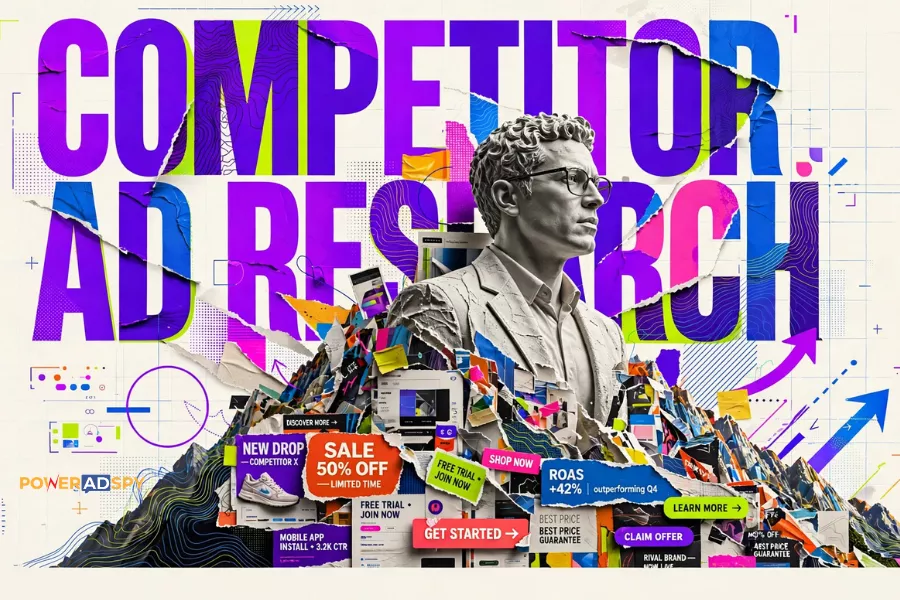
I’ve watched the same mistake repeat itself across hundreds of competitor ad research sessions: a buyer opens an ad intelligence tool, sorts by engagement, skims the top results, and screenshots the ads with the biggest like counts. They call that research. It isn’t. It’s confusing popularity with persuasion.
Listen To The Podcast now!
The Difference Between a Liked Ad and a Shared One

A like costs nothing. One tap, zero commitment, no social risk. A share is a different calculation entirely. When someone shares a paid ad, they’re amplifying a brand’s message to people who didn’t ask for it. That only happens when the creative is genuinely useful, funny, or emotionally resonant enough that the sharer is willing to stake a piece of their credibility on it.
That’s the creative brief you actually want to reverse-engineer.’
PowerAdSpy flags shares explicitly as the signal that an ad has crossed from paid reach into organic amplification — a meaningful distinction that changes what you’re looking for when you research competitor creative. An ad with 400 shares and 1,200 likes is a fundamentally different animal than an ad with 4,000 likes and 60 shares. The first one has legs. The second one got boosted.
Most buyers never sort by shares. They default to whatever the tool surfaces first. That default is costing them.
A 20-Minute Workflow That Actually Produces Creative Intelligence
Here’s how to run competitor ad research properly using PowerAdSpy’s sorting and filtering stack. The full loop takes around 20 minutes done right, not an afternoon, not a passive scroll.
Step 1: Start with a domain or competitor name, not a keyword
Keyword searches surface ads that contain your term. Competitor searches surface everything a specific brand is running across networks. Those are different pools. If you’re in ecommerce, start by entering a direct competitor’s domain. If you’re in lead gen, start with the brand name of whoever is outbidding you on the terms you care about.
PowerAdSpy searches across 10 ad networks– Facebook, Instagram, Google PPC, YouTube, Native, Display Network, Reddit, Quora, Pinterest, and LinkedIn- from a single interface. That matters because a competitor running the same creative on Facebook and YouTube is testing cross-platform durability. A competitor running entirely different formats per platform is likely still in the testing phase. Both patterns tell you something.
Step 2: Sort by shares first, then revisit likes
PowerAdSpy lets you sort ads by date, shares, likes, and comments. Sort by shares. Look at what rises to the top. Then sort by likes and compare the two lists. The ads that appear in both high shares AND high likes are the ones worth studying closely. Ads that appear only in the likes sort are probably well-distributed paid impressions. The ads that appear only in the shares sort are the creative outliers worth bookmarking. The ads that appear only in the shares sort are the creative outliers worth bookmarking during competitor ad research.
Comments are useful for a different reason: they reveal audience objections and emotional reactions that the ad copy didn’t anticipate. That’s copywriting intelligence, not creative intelligence. Save that pass for later.
Also Read
The Ad Research Mistake That Kills Your ROI
How To Get Customers From Facebook Cosmetic Ads?
Step 3: Filter by ad position before you judge the creative
This is where most ad research goes sideways. A creative that works in the News Feed fails completely in the Side Location because the viewing context is different; attention, intent, and dwell time all shift. PowerAdSpy’s Filter By Ad Positions feature lets you separate News Feed inventory from Side Location inventory. Run the research twice. The creative brief for a sidebar ad, compact, high-contrast, low copy- is almost the inverse of what works mid-scroll in a News Feed.
Treating these as the same pool and then wondering why your “research-backed” creative is underperforming is a remarkably common and entirely avoidable mistake.
Step 4: Filter by geography before drawing any conclusions
A share signal in one market doesn’t replicate in another. An ad earning aggressive organic amplification in the US might fall flat in the UK, not because the creative is wrong, but because the cultural reference doesn’t land. PowerAdSpy’s GEO-targeted competitor data filters across 149+ countries, which means you can isolate your actual target market before you start drawing conclusions about what works.
Run your share-sort with the geography filter active. The results will be smaller. They will also be more useful.
Step 5: Use Call to Action sorting to understand funnel intent
PowerAdSpy’s Call to Action Based Sorting lets you filter competitor ads by specific CTA strings: “Shop Now,” “Learn More,” “Sign Up.” This is underused and important. A competitor running heavy “Shop Now” volume is pushing bottom-funnel direct response. A competitor running “Learn More” is building consideration. Knowing which funnel stage your competitors are investing in tells you where they see the most friction — and where they think the opportunity is.
If every major competitor in your niche is avoiding “Sign Up” CTAs, that’s a signal. Either sign-up campaigns don’t convert in that vertical, or nobody has tested them properly and there’s a gap. Ad intelligence isn’t just about copying what works; it’s about spotting what hasn’t been tried. That’s often where the biggest competitor ad research opportunities emerge.
Building a Swipe File That’s Actually Usable
Bookmarking ads without a system is just digital hoarding. PowerAdSpy’s Bookmark The Best Ads feature works best when you impose a deliberate constraint: 10 to 15 ads per niche before you stop and synthesize. More than that and you’re pattern-matching against too much noise. Fewer and you’re generalizing from too little signal.
Once you have 10–15 bookmarked ads from the share-sorted, geo-filtered, position-separated research pass, move them into a structured document; Google Sheets or Airtable both work well for this when you’re sharing with a creative team. Tag each ad by hook type, CTA, position, and estimated funnel stage. The patterns that emerge across 15 bookmarked ads are the ones worth bringing into your own creative brief.
One more thing: don’t just bookmark ads that are similar to what you’re already running. The trap of recycling your last winning ad is real, an agency that found success with one format and then ran nothing else for six months. Bookmark the outliers too. The ad in your competitor’s mix that doesn’t look like the others is usually the one they’re testing hardest.
What This Workflow Assumes, and Where It Breaks
This approach assumes your competitors are actively running ads worth learning from. If you’re in a thin niche where every competitor is running generic creative, the share signal will be low across the board, and you’ll need to look outside your direct category for creative inspiration. PowerAdSpy indexes 500M+ ads with 500K+ new ads added daily, so the inventory across adjacent categories is there; you’re just widening the search scope.
The workflow also doesn’t replace funnel thinking. Sorting by shares tells you what creative earned organic reach. It doesn’t tell you what converted. That’s a separate question, answered by your own account data. What competitor ad research gives you is a faster path to hypotheses worth testing, not a guarantee that those hypotheses will prove out in your specific context.
The Google and WARC research on short-termism in media investment is relevant here: the pressure to optimize only for immediate signals (like click-through rate) consistently causes buyers to miss the creative signals that build durable performance over time. Shares are a longer-horizon signal than clicks. That’s exactly why they’re more useful, and exactly why they get ignored.
For anyone building out Facebook-specific creative research, the deeper dive on the ad research mistake that kills your ROI is worth reading alongside this workflow. And if you’re running cosmetic or beauty campaigns specifically, the breakdown of how to get ROI with Facebook cosmetic ads covers the competitor search workflow in that vertical in more detail.
The share signal is sitting there in every ad intelligence platform. Almost nobody sorts by it. That gap is yours to close.
Start your free PowerAdSpy trial and run the share-first research pass on your top three competitors this week. The creative brief that comes out of it will be different from anything your team has written from gut instinct alone.