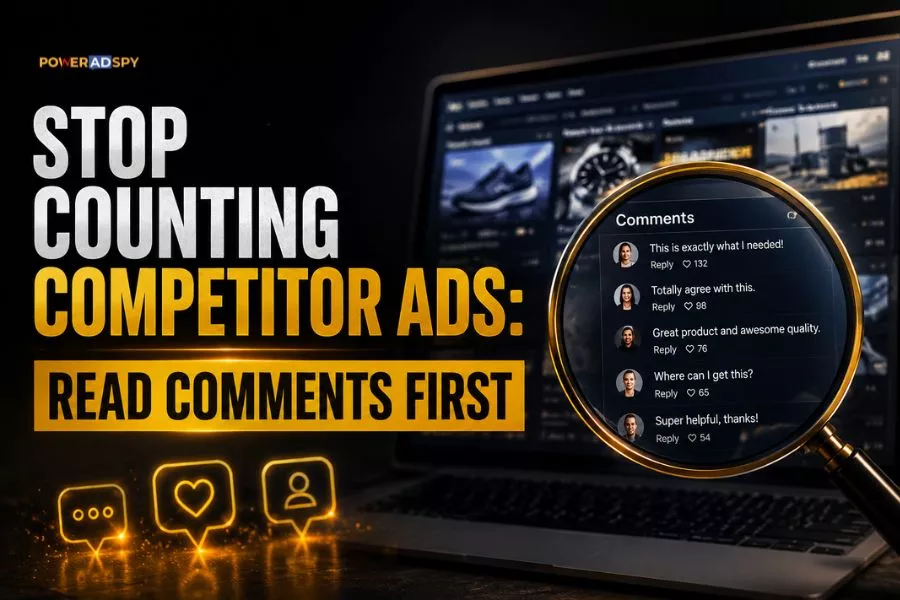
Counting how many ads a competitor is running tells you almost nothing useful. It’s a data problem masquerading as a research strategy, and it burns hours that could be spent finding what’s actually converting.
The real signal is buried one layer deeper: in what audiences do when they see the ad, not just whether the ad exists. Once you shift your research from ad volume to engagement quality, competitor analysis stops feeling like busywork and starts driving real creative decisions.
Listen To the Podcast Now!
Why Ad Count Is the Wrong Starting Point
There’s a well-documented pattern in competitive creative strategy: the first thing most analysts check is how many ads a competitor is running. It feels like data. It isn’t. A brand can run 200 ads and be testing its way through a creative drought. Another can run 12 and have found its winner three months ago, and is quietly scaling it.
Volume tells you about testing budget. Engagement tells you about resonance. Those are not the same thing.
There’s also a subtler trap. Optimization teams routinely improve proxy metrics — CTR, CPA — while quietly destroying margin. CPA drops, the algorithm celebrates, and no one notices that the acquired customers are worth half as much. Competitor ads that look “winning” by click signals may be running on borrowed time. Engagement quality, particularly comments, cuts through that noise.
Comments Beat Likes. Here’s Why That Matters for Spying.
Our own research on engagement mechanics makes this concrete: acquiring likes on a post is significantly easier than acquiring comments. Likes are passive. Comments require a decision: to type, to engage, to argue, to ask a question. That friction means comment volume is a far stronger signal of genuine audience preference than like count.
When you reverse-engineer a competitor’s ad, prioritise the posts that triggered a conversation over the ones that collected scroll-pauses. High comment counts with relatively modest likes indicate the copy hit a nerve strong enough to make people respond. High likes with near-zero comments usually indicate passive brand recognition — interesting, but thin as creative intelligence.
This is exactly the kind of signal PowerAdSpy surfaces through its Engagement Oriented Details feature, per-ad counts of likes, comments, and shares alongside demographic breakdowns including gender, country, interest targeting, and age. You can sort ads by shares, likes, and comments directly, which means you can rank competitor ads by the engagement dimension that matters most for your read of the market.
Also Read
Ad Intelligence Tools: Stop Copying, Extract Patterns
The Three-Step Engagement-First Research Workflow
Step 1: Search by Advertiser or Domain, Then Sort by Comments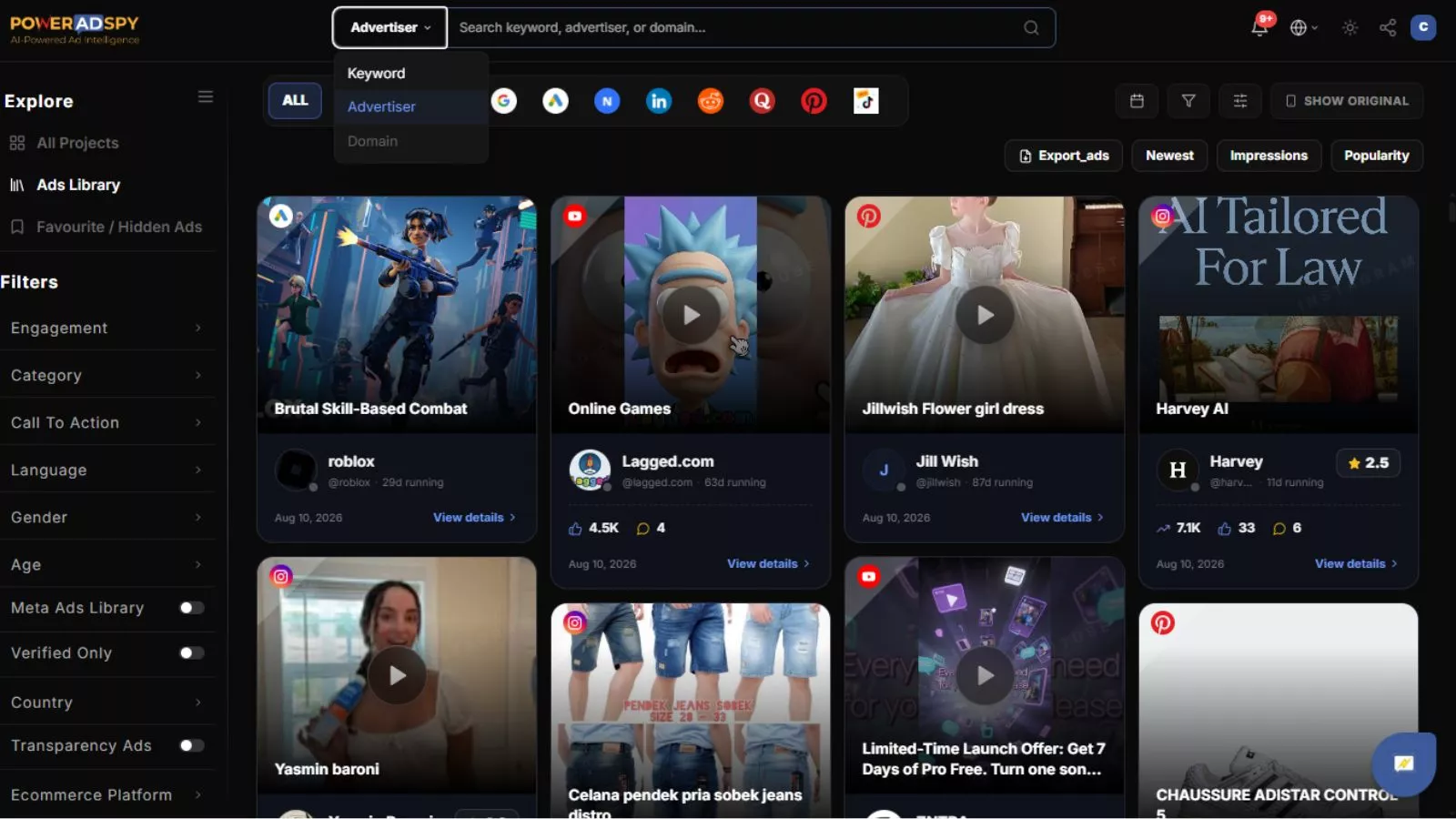
Start with a direct competitor; search by their domain or advertiser name. Once you have their ad set, sort by comments rather than date. You are not looking for their newest ad. You are looking for the one that made people stop and say something.
What you are trying to find is the hook that triggered a reaction, not the hook the competitor intended, but the one the audience actually responded to. Those two are frequently different. A competitor might have intended to sell a product benefit; the comment thread reveals the audience responded to the social proof angle in the first line of copy. That gap is your creative intelligence.
Step 2: Use the Social Engagement Report for Demographic Context
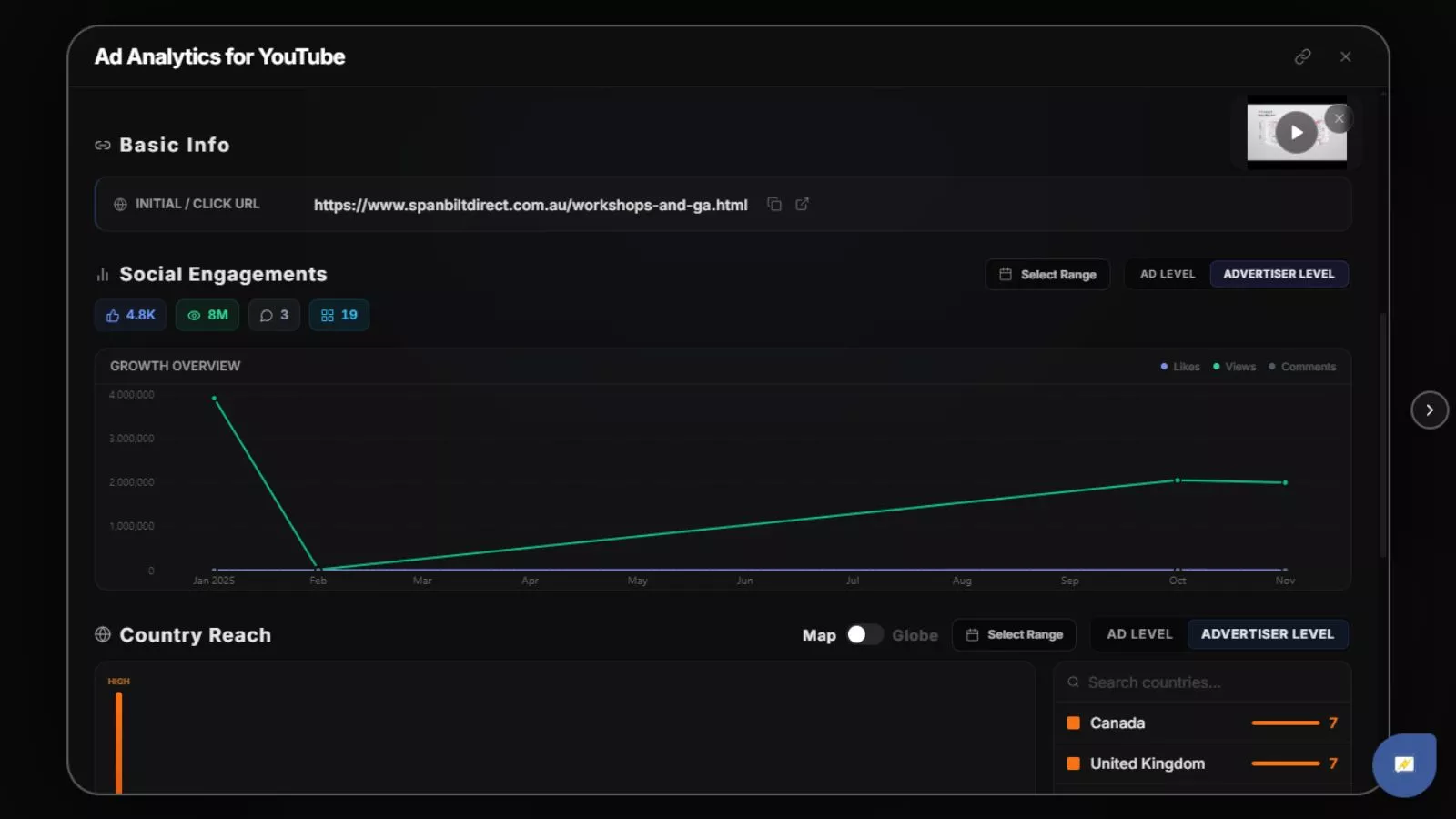 An ad that generates strong engagement in one demographic can be a mediocre fit in another. PowerAdSpy’s Social Engagement Report exposes per-ad engagement counts alongside gender, country, interest targeting, and age breakdown for any competitor ad. Before you decide an engagement spike is a meaningful signal, check who it came from.
This matters especially when using GEO-targeted competitor data. PowerAdSpy filters competitor ads by demography and location across 149+ countries. An ad crushing it in one market and underperforming in another is telling you something about message-market fit, not creative quality. Read them separately.
Step 3: Cross-Reference the Call to Action, Then Check the Funnel
High engagement without a clear call to action is usually brand awareness spend, interesting but not directly actionable for direct-response advertisers. PowerAdSpy’s Call to Action-Based Sorting lets you filter by CTA type, so you can isolate ads from competitors running the same funnel structure you are: lead gen, shop now, learn more.
From there, and this is the step most people skip, check the landing page and funnel behind the ad, not just the creative. The ad is only one piece of the puzzle. An ad with modest creative but a conversion-optimised landing page will outperform a beautiful ad sending traffic to a generic homepage. Bookmark the ads worth studying with PowerAdSpy’s Bookmark The Best Ads feature so you can revisit the full context, not just the screenshot.
Where This Workflow Breaks Down (and What to Do About It)
Two failure modes worth naming directly.
Creative fatigue obscures winners. When an ad is suffering creative fatigue, engagement metrics drop even if the underlying concept is strong; the audience has simply seen it too many times. If you pull a competitor’s ads sorted by comments and a previously strong creative has dropped off, check the date range. A high-comment ad from several months ago that is no longer running may be a proven winner the competitor retired, not a failed test. That is worth modelling.
Engagement does not equal profitability. A competitor can run an emotionally resonant ad that generates thousands of comments and still be losing money on the campaign. This is the same margin-destruction pattern described earlier, optimising for engagement at the expense of LTV. The engagement-first workflow finds creative signals, not financial validation. Use it to inform your creative decisions; validate economics in your own account.
Applying This Across Networks, Not Just Facebook
The engagement-first framework applies wherever comments exist as a signal. PowerAdSpy covers 10 ad networks including Facebook, Instagram, YouTube, Google, Reddit, Quora, Pinterest, and LinkedIn, with 500M+ ads indexed and 500K+ new ads added daily. The networks where this works best are the ones where public engagement is visible: Facebook, Instagram, and YouTube in particular.
For Google Display and YouTube, the engagement mechanic shifts. Google Display ads sit higher on the cost-per-click scale than regular text ads, and the performance signals lean toward view rates and interaction data rather than comment threads. On those networks, lean harder on Call to Action-Based Sorting and GEO filters. Campaign duration becomes a useful proxy for profitability when direct engagement data is limited; a sustained campaign is rarely an accident.
For e-commerce teams, there is an additional layer worth using. PowerAdSpy lets you search and find ads run by Shopify store owners specifically. That means you can filter to a particular competitor type, not just a keyword or domain — and apply the same engagement-first analysis to a curated set of direct-to-consumer advertisers. The Dynamic display ad format, which pulls product title, description, price, and image from a product feed, is worth isolating when you research that segment — it signals a competitor is running active remarketing, not just prospecting.
What You’re Actually Building
Done consistently, this workflow builds something more valuable than a swipe file. It builds a mental model of what your shared audience actually responds to, separated from what advertisers hope they respond to. That gap is where most ad budgets go wrong, and it is exactly what competitor engagement data, read correctly, can close.
The ads with the most comments in a niche are not accidents. They hit a nerve. Your job is to figure out which nerve, and whether you can hit it too, with a stronger offer, better creative, or a more relevant angle.
That is competitor intelligence that earns its keep. Start your free PowerAdSpy trial and run this workflow on your top three competitors before you write your next brief.