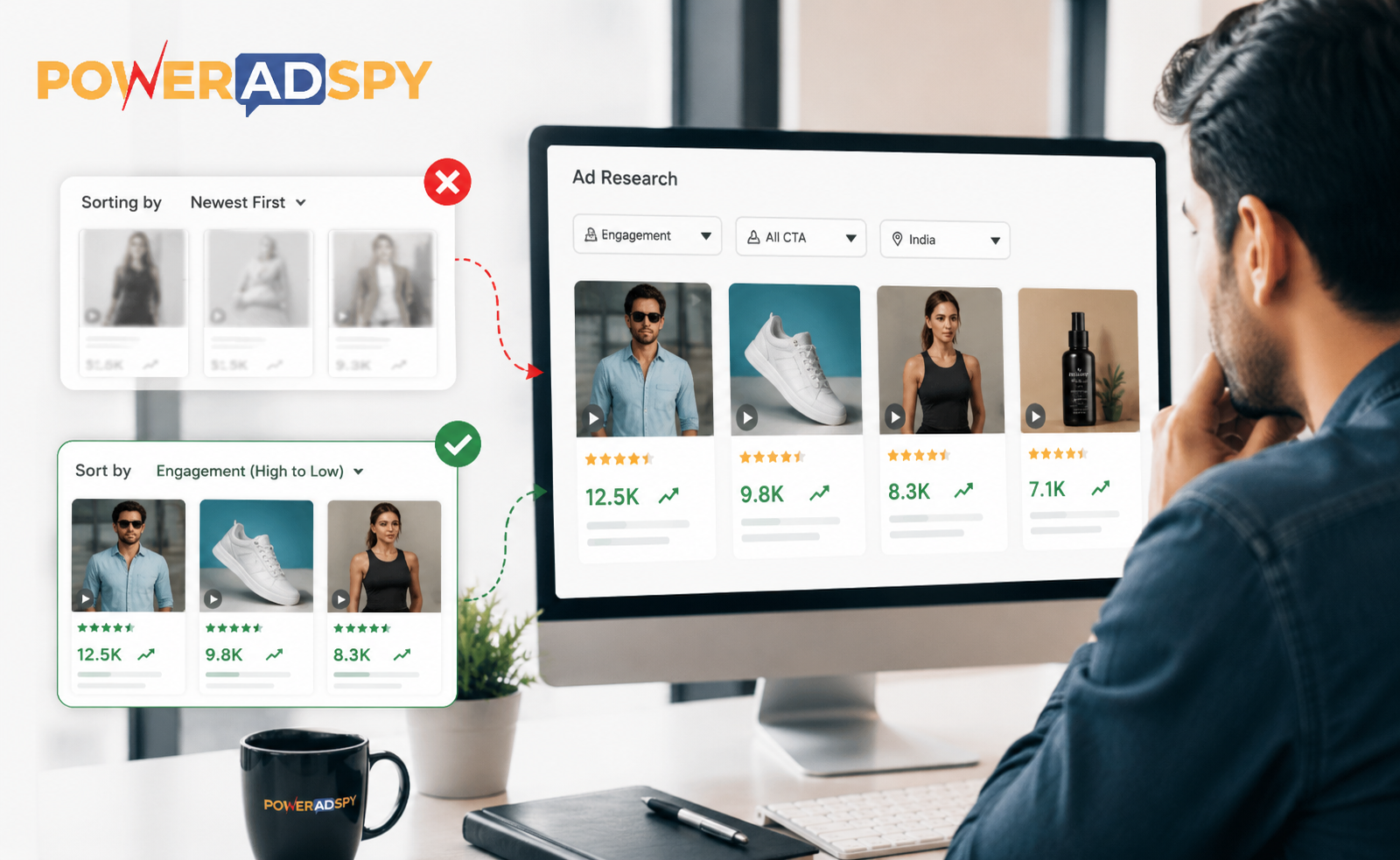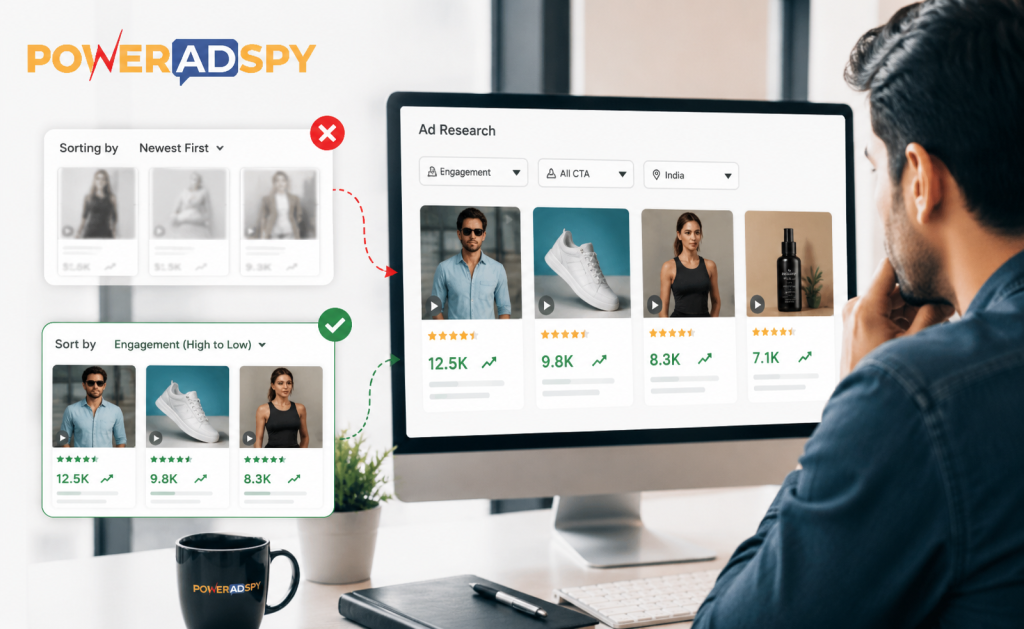
Sorting competitor ads by newest first is one of the most expensive habits in paid media. I’ve watched media buyers do it for years open a tool, set the date filter to “last 7 days,” screenshot a few creatives, and call it research. Then they wonder why their “inspired” campaigns flatline within a week.
Here’s the counterintuitive truth: the ads you want to model are rarely the newest ones. They’re the ones that have been running the longest with the highest engagement. An ad that’s survived three months in a competitive niche hasn’t survived by accident. It has beaten creative fatigue, passed the advertiser’s own internal ROI threshold repeatedly, and earned enough algorithm trust to keep getting spend. New ads are hypotheses. Old high-engagement ads are proof.
This distinction between recent and proven is where most competitor ad research falls apart. Fixing it is a straightforward workflow change once you understand what signals to chase.
Why “Newest” Is the Wrong Default
The instinct makes sense on the surface. You want fresh ideas. You don’t want to model something that’s already saturated. But that logic has a flaw: a brand-new ad tells you almost nothing about whether the creative works. It tells you a brand ran something. That’s it.
Survival is the signal. When an advertiser keeps funding a specific creative across weeks and months, they’re voting with their budget. They’re telling you loudly, in the only language that matters that this ad is returning money. Sorting by date filters that signal out entirely.
The research gap this creates is real. Ad intelligence platforms exist precisely to surface competitive insights that aren’t visible from a single snapshot and those insights live in trend data and engagement depth, not in what launched yesterday.
The Engagement-First Research Workflow
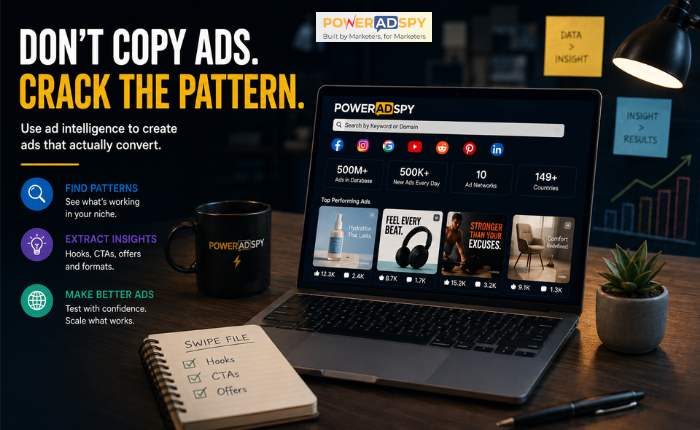
PowerAdSpy indexes 500M+ ads across every major paid platform, with 500K+ new ads added daily. That scale means sorting by “newest” produces a firehose and a firehose rewards whoever opened their wallet most recently, not whoever built the most effective creative.
Here’s the workflow that actually surfaces winners. It takes about 20 minutes to run properly.
Step 1: Search by Competitor Domain or Keyword Not Both at Once
Start with a single intent. Either you’re researching a specific competitor (use their domain), or you’re researching a market (use a keyword). Mixing both narrows your results too fast before you’ve seen the landscape.
If you’re in ecommerce, searching ads run by Shopify store owners is its own filter path one that lets you isolate what’s working specifically in that ecosystem before you go broader. That’s a starting point most researchers skip.
Step 2: Sort by Engagement, Not Date
This is the core habit change. PowerAdSpy lets you sort results by likes, shares, and comments. Use that. Sort by shares first shares indicate an ad crossed from paid reach into organic amplification, which almost never happens accidentally.
Then re-run the sort by likes. You’re not looking for the single highest-engagement ad (outliers exist). You’re looking for a cluster of ads from the same advertiser or same creative style that have sustained engagement. That cluster tells you a concept is working, not just a one-time creative.
Step 3: Apply Call to Action Based Sorting
Most competitive research ignores the CTA entirely. Big mistake. PowerAdSpy’s Call to Action Based Sorting lets you filter results by the specific CTA an ad uses “Shop Now,” “Learn More,” “Sign Up,” and so on.
Why does this matter? Because the CTA is a proxy for where the advertiser is sending traffic and what conversion action they’re optimizing for. A competitor running “Shop Now” at high engagement is converting at the bottom of the funnel. A competitor running “Learn More” at high engagement is doing awareness work that probably feeds retargeting. These are different strategies, and conflating them by ignoring CTA type leads to modeling the wrong part of the funnel.
As a rule: if you’re trying to drive purchases, filter for “Shop Now” CTAs and study what the highest-engagement ads in that subset have in common. Hook structure, visual format, headline length the patterns will become obvious fast.
Step 4: Filter by Ad Position
PowerAdSpy’s Filter By Ad Positions News Feed vs. Side Location changes the creative brief entirely. Side-placement ads are smaller, text-heavier, and typically used for retargeting or brand recall. News Feed ads carry the creative burden of stopping a scroll cold.
If you’re building new prospecting creatives, filter to News Feed only. Studying side-placement ads for inspiration on top-of-funnel creative is a category error that produces weak hooks because those ads were never designed to stop anyone.
Step 5: Dig into Engagement Oriented Details
The Engagement Oriented Details view gives you the underlying engagement data for each ad. Before you bookmark anything, check those numbers against the ad’s apparent age. An ad with strong engagement that launched recently is interesting. That same engagement accumulated over several months is a proven winner the rate per day tells a completely different story, and it’s the rate that matters.
This is the filter most researchers never apply. It’s the one that separates a genuine swipe-file candidate from a one-hit creative that already burned out.
Step 6: Bookmark, Then Synthesize
Use PowerAdSpy’s Bookmark The Best Ads feature to save candidates as you work. The goal here isn’t to copy it’s to identify patterns. Once you have 10–15 bookmarked ads from a niche, look for what they share: hook structure (question vs. claim vs. social proof), visual format (static image vs. video vs. carousel), offer framing (discount vs. scarcity vs. outcome).
Those patterns are your creative brief. Not the individual ads. For organizing your swipe file externally, Google Sheets or Airtable work well for tagging patterns across a batch of bookmarks especially if you’re sharing findings with a creative team.
The GEO Layer Most Researchers Miss
PowerAdSpy covers 100+ countries, and the GEO-targeted competitor data filter which lets you narrow competitor ads by demography and location across 149+ countries is chronically underused.
Here’s why it matters: an ad running with high engagement in one market and low engagement in another isn’t a failed ad. It’s a localization signal. The concept works. The execution may need to adapt. Studying which creatives travel across markets and which don’t tells you something fundamental about whether an angle is culturally specific or universally resonant.
If you’re scaling into new geographies, run your engagement-sort workflow filtered to your target market first before looking at global results. What wins in the US doesn’t always win in Germany or Brazil. The data is there most researchers just don’t filter for it.
Where This Workflow Breaks Down
Two failure modes worth naming honestly.
First: high engagement doesn’t always mean high conversion. An ad can generate enormous social engagement because it’s funny, outrageous, or polarizing and still have terrible click-through or purchase rates. Engagement is a signal of creative resonance, not a guarantee of ROI. Use it as a first filter, not a final verdict.
Second: PowerAdSpy covers 10 ad networks Facebook, Instagram, Google PPC, YouTube, Native, Display Network, Reddit, Quora, Pinterest, and LinkedIn. Running this workflow on one network and assuming the findings transfer cleanly to another is a mistake. A video ad that crushes on Facebook may be completely wrong for Google Display. Run the workflow per-network when you’re planning cross-platform campaigns.
For a deeper look at how this research connects to actual campaign structure, the Facebook Ads for Shopify setup guide is worth reading next. It walks through how creative insights from competitor research map onto campaign objectives, ad sets, and format selection the full chain from intelligence to execution.
The Mindset Shift That Makes This Click
Competitor ad research isn’t creative theft. It’s market listening. When you sort by engagement and filter by CTA and position, you’re not looking for an ad to copy you’re reading the market’s feedback on what’s working right now, in this niche, for this audience.
The advertisers funding those high-engagement ads have already run the test. They’ve already paid for the data. Your job is to learn from their results faster than they expect anyone to be watching.
That’s the actual value of ad intelligence. Not inspiration. Information.
And it starts by stopping the habit of sorting by newest first.
Start your free PowerAdSpy trial and run this workflow on your top three competitors today the engagement gap between what you’ve been studying and what’s actually proven will be immediately obvious.