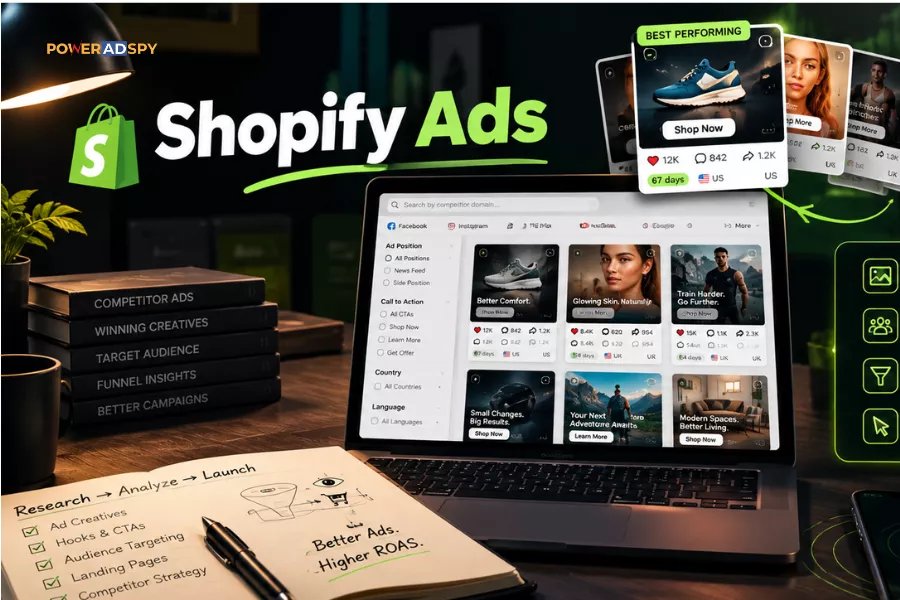
Most Shopify advertisers lose money in the testing phase, not because testing is wrong, but because they test blind. They launch creative variation after creative variation, wait for the algorithm to find a winner, and call it strategy. Meanwhile, somebody in their niche already ran that exact test six months ago. The data exists. They just didn’t look for it. A Shopify ad spy tool helps surface those signals before you spend money rediscovering them yourself.
Competitor ad spy research should happen before the first dollar goes to a platform, not after you’ve burned through a learning budget. Starting from zero is expensive. Starting from a short list of hooks and formats that have already earned engagement at scale is not.
Listen To The Podcast Now!
What “Proven” Actually Means in Ad Research
A winning creative isn’t one that looks good. It’s one that has stayed funded. Competitors don’t keep paying to serve ads that lose money; duration is the signal. An ad running for 60 days in the same market, with the same copy, is telling you something no benchmark spreadsheet can.
Ad spy research earns its keep by eliminating the obviously wrong answers before you pay to discover them. According to PowerAdSpy’s 2026 Shopify affiliate guide, users who base creative choices on proven ads report a 15% reduction in A/B testing volume within two months. They enter the testing phase with a far shorter list of plausible hypotheses and that shorter list is where budget stops evaporating.
The Research Workflow, Before You Write a Single Brief
PowerAdSpy indexes 500M+ ads across 10 ad networks, Facebook, Instagram, YouTube, Google PPC, Reddit, Pinterest, and more — with 500K+ new ads added daily. That database is the research layer. Here’s the workflow that actually surfaces useful intelligence rather than just a lot of noise.
Step 1: Search by Competitor Domain, Not Just Keyword
Start narrow. Most advertisers search by category keyword and get overwhelmed. Search by competitor domain or advertiser name instead; you’re looking at what a specific store is actively running, not the entire category’s historical output. The distinction matters because active ads are funded. This is one of the most effective ways to use a Shopify ad spy tool, because it focuses your research on stores that are actively spending and scaling. A competitor running the same creative for 60 days isn’t doing it by accident.
PowerAdSpy lets you search by keyword, advertiser, or competitor domain. Use domain search first. Pull the last 30 days of activity for your top three competitors and see what they’re still paying to serve.
Step 2: Sort by Engagement, Not Date
Date sorting shows you what’s new. Sorting ads by shares, likes, and comments shows you what’s working. These are not the same list. An ad from three months ago with thousands of shares tells you more about a winning hook than a fresh creative with no signal yet.
Engagement Oriented Details inside PowerAdSpy surface exactly this, the social proof that accumulates on ads genuinely resonating. Sort by shares first. Shares are the strongest organic signal: people share ads they find useful or entertaining, not just ads they scroll past. Likes get bought. Shares get earned.
This matters especially for video. 87% of consumers say seeing a video ad convinced them to purchase — which means video ad spy research isn’t optional if video is in your competitors’ mix. It’s where the creative wars are being fought.
Step 3: Filter by Position and Call to Action
This is where most researchers stop being lazy. Filter By Ad Positions lets you separate News Feed placements from Side Location placements. These behave differently; a creative that works in the News Feed often collapses in a sidebar. If you’re planning News Feed-only campaigns, study News Feed-only competitors. Don’t contaminate your swipe file with placement data that doesn’t match your buy.
Then apply Call to Action-Based Sorting. A “Shop Now” CTA signals direct-response intent. A “Learn More” CTA often means the advertiser is warming a cold audience. Which funnel stage are you targeting? Filter accordingly. This isn’t optional refinement — it’s the difference between intelligence and noise.
Step 4: Layer in GEO Filters
If you sell to specific markets, stop looking at global ad data. PowerAdSpy lets you filter competitor ads by demography and location across 149+ countries. A US-focused Shopify store running a summer sale creative doesn’t help you if you’re selling into Germany in November.
GEO-targeted competitor data surfaces what’s performing in your actual market. A creative optimized for Brazil uses different copy conventions than one built for the UK. You won’t see that gap if you’re pulling unfiltered global results. With Shopify capturing 30% of US ecommerce businesses in 2025, the platform-specific ad spy filter is increasingly competitive — knowing which geos your rivals are funding is a real edge.
Step 5: Build a Structured Swipe File, Not a Mood Board
Bookmark the ads that clear your criteria, PowerAdSpy’s Bookmark The Best Ads feature holds them in one place. Then export your findings into a structured swipe file. Five columns do the job:
| Column | What to Capture | Why It Matters
|
|---|---|---|
| Hook | Exact first line or first-frame visual | What stops the scroll — the most-copied and least-understood element |
| Format | Video, image, carousel, or collection | Dominant format in your niche signals where budget is going |
| CTA | Exact button text + destination URL | Reveals funnel intent — warm vs. cold audience targeting |
| Days Running | First seen → last seen estimate | Longer means funded and profitable — duration is the real signal |
| Engagement Tier | Low / Mid / High vs. others in search | Relative rank matters more than raw counts |
That’s a brief, not a mood board. Every creative your team produces should trace back to a row in this table. If it doesn’t, you’re guessing.
Ready to build yours? Start your free PowerAdSpy trial and run a domain search on your top competitor now; your first swipe file row takes about three minutes.
The Shopify-Specific Layer
PowerAdSpy includes a specific search function for finding ads run by Shopify store owners — and E-commerce Platform filters that isolate Shopify traffic patterns from other store types. That’s a meaningful filter. Shopify stores share similar funnel patterns, which means creative conventions are more comparable across competitors than they would be in a mixed-platform search.
You can also download video ads directly inside PowerAdSpy. Not to copy them — to study edit structure, pacing, and hook placement. The first three seconds of a video ad are the only ones that matter for stopping a scroll. Pull five winning video ads from Shopify competitors in your category. Watch just the first three seconds of each. The pattern becomes obvious fast. For a deeper breakdown of how this fits into a full Shopify research process, the 2026 Shopify ad spy affiliate guide covers the six-step funnel walk in detail.
Three Failure Modes That Kill Research Quality
These come up repeatedly in practice. Worth naming directly.
Chasing engagement spikes. High likes on a single day often means a boosted post or a viral moment, not a repeatable creative. Sort by “running longest” or “last seen” to gauge staying power, not by raw engagement counts. The longest-running ads are the ones earning consistently, not the ones that caught a wave.
Skipping the landing page. An ad is the door. The landing page is where the sale happens — and where most Shopify ad spy workflows stop prematurely. When you find a winning ad, click through and map the full funnel: what social proof appears above the fold, whether there’s a reviews section, how the checkout is structured. A competitor outperforming you on cost-per-acquisition may have an identical ad but a dramatically tighter post-click sequence. You’ll misread the gap entirely if you stop at the creative.
For more on how ad intelligence plugs into broader market research, our guide on using ad spy tools for market research walks through that integration.
Copying verbatim. Adapting is legal and effective. Copying exact copy or visuals is a compliance risk and a brand problem. Your store, your offer, and your audience aren’t identical to your competitor’s. The angle is the intelligence. The execution has to be yours.
What This Doesn’t Solve
Competitive ad spy research tells you what has worked for someone else. It doesn’t tell you why, and it doesn’t guarantee the same results for your store. Research narrows the variables. It doesn’t eliminate them. You still test — you just test a shorter, smarter list.
Also: Competitor Tracking inside PowerAdSpy has Brand and Competitor limits by tier. Know your plan’s limits before you try to track 40 brands simultaneously. Prioritize the competitors actually spending heavily in your niche. The rest is distraction.
For practical tips on Facebook ad research using ad spy tools, that post covers platform-specific nuances worth reading alongside this workflow.
The Actual Advantage
Most Shopify advertisers treat creative testing as the first step. The ones who outperform them treat it as the second step, after Shopify ad spy research has already ruled out the likely losers. That gap in process is where budget either gets wasted or gets protected.
PowerAdSpy indexes 500M+ ads across 100+ countries. The intelligence is there. The question is whether you use it before or after you pay to rediscover it yourself.
Research what’s already winning, filter it to your market and format, build your swipe file from the table above, then brief from evidence. Your testing budget will go further. Your first winners will come faster.